
思路是我想的,代码是 AI 的。
写了 3 小时,求关注。
内容
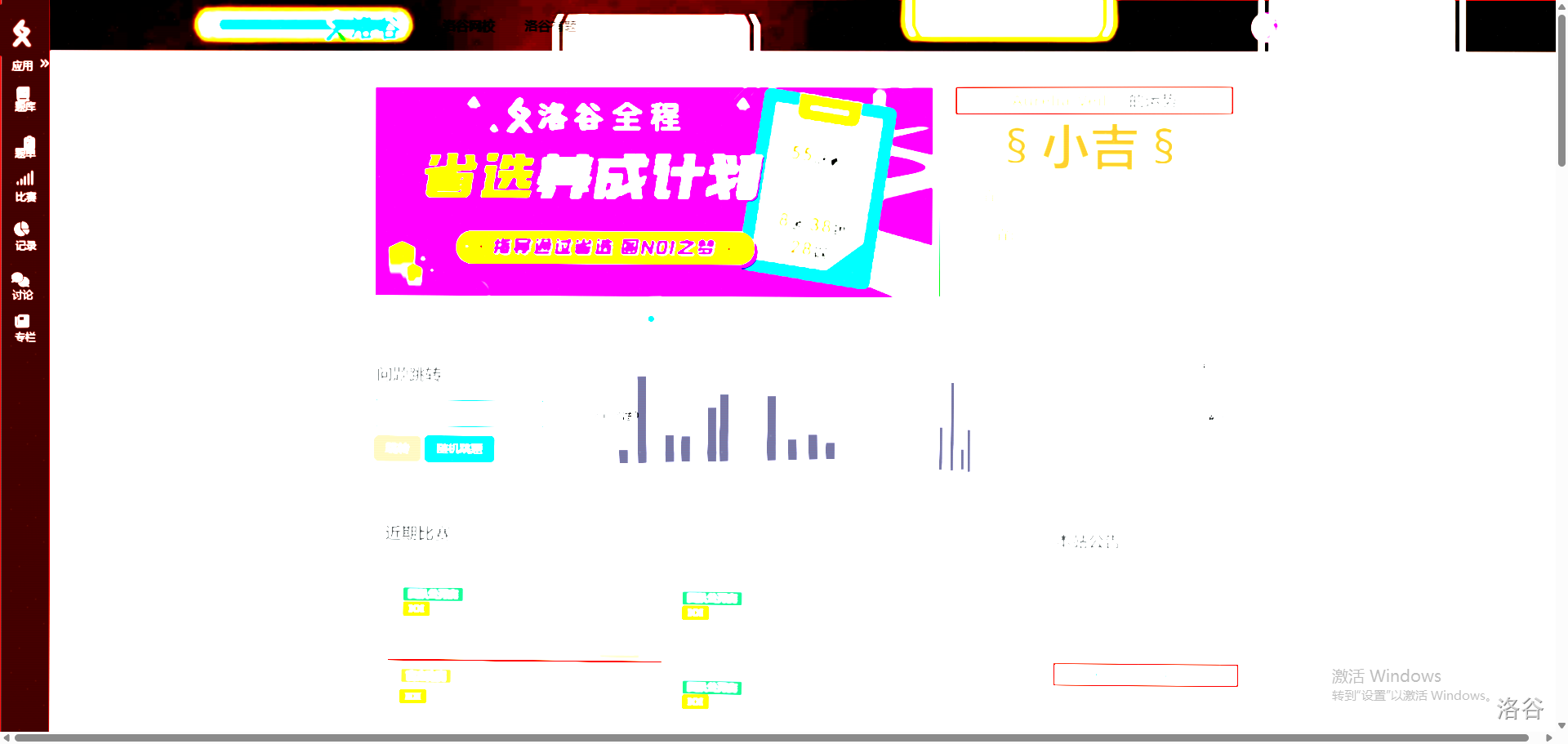
- 使文字错位并抖动。
- 使图片有大量噪点、更糊。
- 整个网页有扫描线、雪花屏、色彩偏移效果。
交互操作:点击被红框框起的元素效果会增强。
效果:
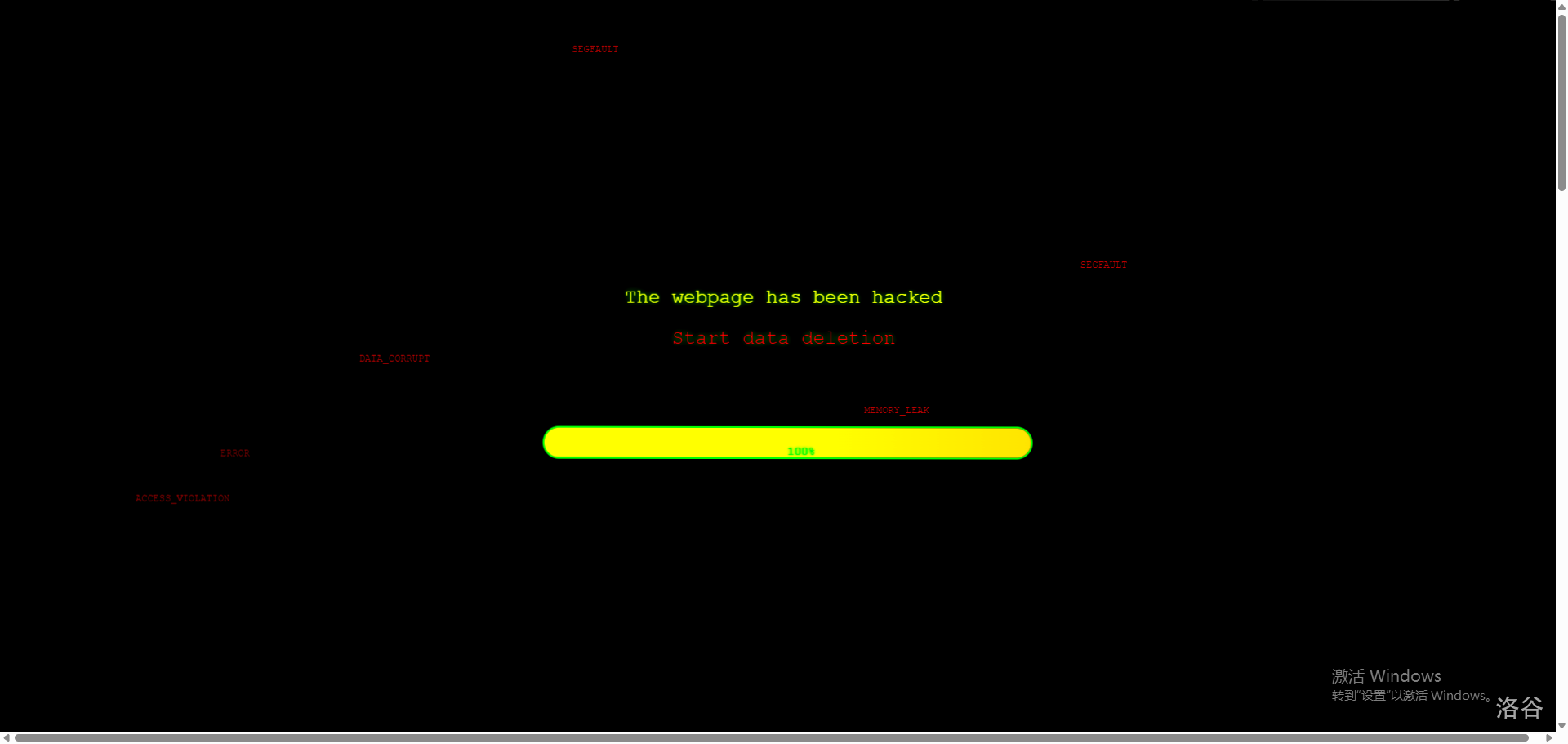
初始界面:
页面效果:
源代码
// ==UserScript==
// @name 你的网页被入侵啦!!!!
// @namespace http://tampermonkey.net/
// @version 2.4
// @description 为网页添加入侵界面和错误化效果
// @author AI Assistant
// @match *://*/*
// @grant none
// ==/UserScript==
(function() {
'use strict';
// 全局变量
let isEnhanced = false;
const enhancedElements = new Set();
let clickCount = 0;
// 存储进度条引用
let currentProgress = 0;
let progressInterval;
// 1. 显示入侵界面
function showHackScreen() {
console.log("显示入侵界面...");
// 保存原始网页内容
const originalBody = document.body.innerHTML;
// 创建入侵界面
const hackScreen = document.createElement('div');
hackScreen.id = 'hack-screen';
hackScreen.style.cssText = `
position: fixed;
top: 0;
left: 0;
width: 100vw;
height: 100vh;
background-color: #000;
color: #0f0;
font-family: 'Courier New', monospace;
z-index: 1000000;
display: flex;
flex-direction: column;
justify-content: center;
align-items: center;
overflow: hidden;
padding: 20px;
box-sizing: border-box;
`;
// 创建入侵文本容器
const textContainer = document.createElement('div');
textContainer.style.cssText = `
position: relative;
text-align: center;
font-size: 24px;
margin-bottom: 50px;
min-height: 100px;
`;
// 第一行文本
const text1 = document.createElement('div');
text1.id = 'hack-text-1';
text1.textContent = 'The webpage has been hacked';
text1.style.cssText = `
position: absolute;
top: 0;
left: 50%;
transform: translateX(-50%);
opacity: 0;
color: #0f0;
text-shadow: 0 0 10px #0f0;
white-space: nowrap;
animation: text-appear 0.5s forwards;
`;
// 第二行文本
const text2 = document.createElement('div');
text2.id = 'hack-text-2';
text2.textContent = 'Start data deletion';
text2.style.cssText = `
position: absolute;
top: 50px;
left: 50%;
transform: translateX(-50%);
opacity: 0;
color: #0f0;
text-shadow: 0 0 10px #0f0;
white-space: nowrap;
`;
// 进度条容器
const progressContainer = document.createElement('div');
progressContainer.style.cssText = `
width: 80%;
max-width: 600px;
height: 40px;
background-color: #111;
border: 2px solid #0f0;
border-radius: 20px;
overflow: hidden;
position: relative;
margin-top: 30px;
`;
// 进度条
const progressBar = document.createElement('div');
progressBar.id = 'hack-progress';
progressBar.style.cssText = `
position: absolute;
top: 0;
left: 0;
width: 0%;
height: 100%;
background: linear-gradient(90deg, #0f0, #0a0);
transition: width 0.1s linear;
`;
// 进度文本
const progressText = document.createElement('div');
progressText.id = 'hack-progress-text';
progressText.style.cssText = `
position: absolute;
top: 50%;
left: 50%;
transform: translate(-50%, -50%);
color: #0f0;
font-size: 14px;
font-weight: bold;
text-shadow: 0 0 5px #0f0;
z-index: 2;
`;
// 添加样式
const style = document.createElement('style');
style.textContent = `
@keyframes text-appear {
0% { opacity: 0; transform: translateX(-50%) scale(0.8); }
100% { opacity: 1; transform: translateX(-50%) scale(1); }
}
@keyframes text-glitch {
0% { transform: translateX(-50%) translateY(0px); opacity: 1; }
5% { transform: translateX(-50%) translateY(-2px); opacity: 0.8; }
10% { transform: translateX(-50%) translateY(2px); opacity: 1; }
15% { transform: translateX(-50%) translateY(-1px); opacity: 0.9; }
20% { transform: translateX(-50%) translateY(1px); opacity: 1; }
25% { transform: translateX(-50%) translateY(0px); opacity: 1; }
100% { transform: translateX(-50%) translateY(0px); opacity: 1; }
}
@keyframes progress-glitch {
0% { filter: hue-rotate(0deg); }
10% { filter: hue-rotate(10deg); }
20% { filter: hue-rotate(-5deg); }
30% { filter: hue-rotate(15deg); }
40% { filter: hue-rotate(-10deg); }
50% { filter: hue-rotate(5deg); }
60% { filter: hue-rotate(-15deg); }
70% { filter: hue-rotate(20deg); }
80% { filter: hue-rotate(-8deg); }
90% { filter: hue-rotate(12deg); }
100% { filter: hue-rotate(0deg); }
}
.text-glitching {
animation: text-glitch 0.5s infinite !important;
animation-timing-function: steps(1) !important;
}
.progress-glitching {
animation: progress-glitch 1s infinite !important;
}
/* 添加一些随机的错误文本 */
.hack-error-text {
position: absolute;
color: #f00;
font-size: 12px;
opacity: 0.7;
pointer-events: none;
z-index: 1;
animation: error-text-fade 2s forwards;
}
@keyframes error-text-fade {
0% { opacity: 0; transform: translateY(0px); }
20% { opacity: 0.7; transform: translateY(-10px); }
80% { opacity: 0.7; transform: translateY(-10px); }
100% { opacity: 0; transform: translateY(-20px); }
}
`;
// 构建DOM结构
textContainer.appendChild(text1);
textContainer.appendChild(text2);
progressContainer.appendChild(progressBar);
progressContainer.appendChild(progressText);
hackScreen.appendChild(style);
hackScreen.appendChild(textContainer);
hackScreen.appendChild(progressContainer);
document.body.appendChild(hackScreen);
// 显示第一行文本
setTimeout(() => {
text1.style.opacity = '1';
text1.classList.add('text-glitching');
// 开始加载进度条
startProgressBar(progressBar, progressText, text2, hackScreen);
// 随机添加错误文本效果
addRandomErrorText(hackScreen);
}, 500);
}
// 2. 开始加载进度条(逐步应用错误化效果)
function startProgressBar(progressBar, progressText, text2, hackScreen) {
let progress = 0;
let effectStage = 0;
// 存储原始网页内容以便恢复
const originalBodyHTML = document.body.innerHTML;
const originalBodyChildren = document.body.children;
// 记录已处理的元素
const processedElements = new Set();
// 逐步应用错误化效果
const applyProgressiveEffects = (currentProgress) => {
// 阶段1:0-20% - 轻微位置错位
if (currentProgress >= 20 && effectStage < 1) {
effectStage = 1;
console.log("开始阶段1:轻微位置错位");
applyMildRandomOffset();
}
// 阶段2:20-40% - 部分元素抖动
if (currentProgress >= 40 && effectStage < 2) {
effectStage = 2;
console.log("开始阶段2:部分元素抖动");
applyPartialGlitchEffect();
}
// 阶段3:40-60% - 图片初步噪点
if (currentProgress >= 60 && effectStage < 3) {
effectStage = 3;
console.log("开始阶段3:图片初步噪点");
applyInitialImageNoise();
}
// 阶段4:60-80% - 增强效果和视频滤镜
if (currentProgress >= 80 && effectStage < 4) {
effectStage = 4;
console.log("开始阶段4:增强效果和视频滤镜");
applyEnhancedAndVideoEffects();
}
// 阶段5:80-100% - 完成所有效果
if (currentProgress >= 90 && effectStage < 5) {
effectStage = 5;
console.log("开始阶段5:完成所有效果");
completeAllEffects();
}
// 根据进度增强入侵界面的错误化效果
enhanceHackScreenEffects(currentProgress, hackScreen, text2);
// 逐步对网页元素应用错误化
applyProgressiveElementEffects(currentProgress);
};
progressInterval = setInterval(() => {
progress += 1 + Math.random() * 3; // 随机速度
if (progress > 100) progress = 100;
progressBar.style.width = `${progress}%`;
progressText.textContent = `${Math.floor(progress)}%`;
currentProgress = progress;
// 根据进度应用错误化效果
applyProgressiveEffects(progress);
// 随机应用进度条错误化效果
if (Math.random() < 0.3) {
progressBar.classList.add('progress-glitching');
setTimeout(() => {
progressBar.classList.remove('progress-glitching');
}, 300);
}
// 随机添加错误文本
if (Math.random() < 0.2 && progress < 90) {
addRandomErrorText(hackScreen);
}
// 进度条完成
if (progress >= 100) {
clearInterval(progressInterval);
// 显示第二行文本
setTimeout(() => {
text2.style.opacity = '1';
text2.classList.add('text-glitching');
// 进度条完成效果
progressBar.style.background = 'linear-gradient(90deg, #f00, #a00)';
progressText.style.color = '#f00';
// 等待2秒后移除入侵界面
setTimeout(() => {
removeHackScreen();
}, 2000);
}, 500);
}
}, 50); // 每50ms更新一次
}
// 3. 逐步对网页元素应用错误化
function applyProgressiveElementEffects(progress) {
// 获取所有元素
const elements = document.querySelectorAll('body *:not(#hack-screen) *:not(#hack-screen)');
// 计算要处理的元素数量
const totalElements = elements.length;
const elementsToProcess = Math.floor((progress / 100) * totalElements);
// 随机选择元素进行处理
for (let i = 0; i < elementsToProcess; i++) {
const randomIndex = Math.floor(Math.random() * elements.length);
const el = elements[randomIndex];
if (el && el.style && !el.dataset.progressProcessed) {
el.dataset.progressProcessed = 'true';
// 应用随机偏移
const offsetX = (Math.random() * (progress / 20) - (progress / 40)) + 'px';
const offsetY = (Math.random() * (progress / 20) - (progress / 40)) + 'px';
const rotation = (Math.random() * (progress / 50) - (progress / 100)) + 'deg';
el.style.transform = `translate(${offsetX}, ${offsetY}) rotate(${rotation})`;
el.dataset.offsetApplied = 'true';
// 随着进度增加抖动效果
if (progress > 40 && Math.random() < (progress / 200)) {
el.classList.add('glitch-element');
const speed = 0.3 + (Math.random() * 0.7);
el.style.animationDuration = `${speed}s`;
}
}
}
}
// 4. 轻微位置错位(阶段1)
function applyMildRandomOffset() {
const elements = document.querySelectorAll('body *:not(#hack-screen) *:not(#hack-screen)');
elements.forEach(el => {
if (el.offsetWidth < 5 || el.offsetHeight < 5 || el.dataset.mildOffsetApplied ||
['SCRIPT', 'STYLE', 'IFRAME', 'CANVAS', 'SVG', 'INPUT', 'TEXTAREA', 'BUTTON', 'SELECT'].includes(el.tagName)) {
return;
}
const offsetX = (Math.random() * 4 - 2) + 'px';
const offsetY = (Math.random() * 4 - 2) + 'px';
const rotation = (Math.random() * 0.2 - 0.1) + 'deg';
const originalTransform = el.style.transform || '';
el.style.transform = `${originalTransform} translate(${offsetX}, ${offsetY}) rotate(${rotation})`;
el.dataset.mildOffsetApplied = 'true';
});
}
// 5. 部分元素抖动(阶段2)
function applyPartialGlitchEffect() {
const style = document.createElement('style');
style.textContent = `
@keyframes glitch-shake {
0%, 100% {
transform: translate(0, 0) rotate(0deg);
}
10% {
transform: translate(-0.3px, 0.3px) rotate(0.05deg);
}
20% {
transform: translate(0.3px, -0.3px) rotate(-0.05deg);
}
30% {
transform: translate(-0.2px, -0.2px) rotate(0.03deg);
}
40% {
transform: translate(0.2px, 0.2px) rotate(-0.03deg);
}
50% {
transform: translate(-0.1px, 0.2px) rotate(0.04deg);
}
60% {
transform: translate(0.1px, -0.2px) rotate(-0.04deg);
}
70% {
transform: translate(-0.2px, -0.1px) rotate(0.02deg);
}
80% {
transform: translate(0.2px, 0.1px) rotate(-0.02deg);
}
90% {
transform: translate(-0.1px, 0.1px) rotate(0.03deg);
}
}
.glitch-element {
animation: glitch-shake 0.6s infinite !important;
animation-timing-function: steps(1) !important;
}
`;
document.head.appendChild(style);
const elements = document.querySelectorAll('p, h1, h2, h3, h4, h5, h6, span, div, a, li, td, th, label, caption');
// 随机选择30%的元素应用初始抖动
elements.forEach(el => {
if (Math.random() < 0.3) {
el.classList.add('glitch-element');
const speed = 0.5 + Math.random() * 0.5;
el.style.animationDuration = `${speed}s`;
}
});
}
// 6. 图片初步噪点(阶段3)
function applyInitialImageNoise() {
const images = document.querySelectorAll('img:not([data-noise-processed])');
images.forEach((img, index) => {
if (img.complete && img.naturalWidth > 0 && img.src && !img.src.startsWith('data:')) {
// 先应用简单滤镜
img.style.filter = 'blur(0.3px) contrast(120%)';
img.style.imageRendering = 'pixelated';
img.dataset.noiseProcessed = 'partial';
// 标记为稍后完全处理
setTimeout(() => {
if (img.dataset.noiseProcessed === 'partial') {
applyImageNoiseToSingle(img);
}
}, 1000 + Math.random() * 2000);
}
});
}
// 7. 增强效果和视频滤镜(阶段4)
function applyEnhancedAndVideoEffects() {
// 应用视频错误滤镜
applyVideoGlitchFilter();
// 开始选择增强元素
setTimeout(() => {
applyEnhancedEffects();
}, 500);
}
// 8. 完成所有效果(阶段5)
function completeAllEffects() {
// 应用完整的位置偏移
applyRandomOffset();
// 应用完整的图片噪点效果
applyImageNoiseEffect();
// 增加抖动元素的比例
const glitchElements = document.querySelectorAll('.glitch-element');
glitchElements.forEach(el => {
const speed = 0.3 + Math.random() * 0.7;
el.style.animationDuration = `${speed}s`;
});
// 增加更多元素抖动
const moreElements = document.querySelectorAll('em, strong, b, i, u, small, mark, code, button, input, textarea, select, option');
moreElements.forEach(el => {
if (Math.random() < 0.4) {
el.classList.add('glitch-element');
const speed = 0.4 + Math.random() * 0.6;
el.style.animationDuration = `${speed}s`;
}
});
}
// 9. 增强入侵界面效果
function enhanceHackScreenEffects(progress, hackScreen, text2) {
// 第一行文字效果增强
const text1 = document.getElementById('hack-text-1');
if (text1) {
// 随着进度增加抖动强度
const intensity = progress / 100;
text1.style.animationDuration = `${0.6 - (intensity * 0.4)}s`;
// 随着进度改变颜色
if (progress > 70) {
const redValue = Math.min(255, Math.floor(progress * 2.55));
text1.style.color = `rgb(${redValue}, 255, 0)`;
}
// 添加文字变形效果
if (progress > 50 && Math.random() < 0.1) {
text1.style.letterSpacing = `${Math.random() * 5}px`;
setTimeout(() => {
text1.style.letterSpacing = 'normal';
}, 200);
}
}
// 第二行文字逐渐显示
if (progress > 60 && text2) {
const opacity = Math.min(1, (progress - 60) / 40);
text2.style.opacity = opacity.toString();
// 添加抖动效果
if (!text2.classList.contains('text-glitching') && progress > 70) {
text2.classList.add('text-glitching');
text2.style.animationDuration = `${0.4 - ((progress - 70) / 100)}s`;
}
// 改变颜色为红色
if (progress > 80) {
const redValue = Math.min(255, Math.floor((progress - 80) * 12.75));
text2.style.color = `rgb(255, ${255 - redValue}, 0)`;
}
}
// 进度条效果增强
const progressBar = document.getElementById('hack-progress');
if (progressBar) {
// 随着进度增加颜色变化
if (progress > 70) {
const redValue = Math.min(255, Math.floor((progress - 70) * 8.5));
progressBar.style.background = `linear-gradient(90deg, rgb(${redValue}, 255, 0), rgb(${redValue}, 200, 0))`;
}
// 增加进度条抖动频率
if (progress > 50 && Math.random() < (progress / 200)) {
progressBar.classList.add('progress-glitching');
setTimeout(() => {
progressBar.classList.remove('progress-glitching');
}, 300);
}
}
}
// 10. 添加随机错误文本
function addRandomErrorText(container) {
const errorTexts = [
'ERROR', 'SYSTEM_FAIL', 'DATA_CORRUPT', '0xDEADBEEF',
'NULL_PTR', 'SEGFAULT', 'BUFFER_OVERFLOW', 'ACCESS_VIOLATION',
'MEMORY_LEAK', 'STACK_OVERFLOW', 'KERNEL_PANIC', 'HARDWARE_FAIL'
];
const errorText = document.createElement('div');
errorText.className = 'hack-error-text';
errorText.textContent = errorTexts[Math.floor(Math.random() * errorTexts.length)];
errorText.style.left = `${Math.random() * 90 + 5}%`;
errorText.style.top = `${Math.random() * 90 + 5}%`;
container.appendChild(errorText);
// 2秒后移除错误文本
setTimeout(() => {
if (errorText.parentNode) {
errorText.parentNode.removeChild(errorText);
}
}, 2000);
}
// 11. 移除入侵界面并完成错误化效果
function removeHackScreen() {
const hackScreen = document.getElementById('hack-screen');
if (hackScreen) {
// 淡出效果
hackScreen.style.transition = 'opacity 0.5s ease-out';
hackScreen.style.opacity = '0';
setTimeout(() => {
if (hackScreen.parentNode) {
hackScreen.parentNode.removeChild(hackScreen);
}
// 最终完成所有错误化效果
finalizeEffects();
}, 500);
} else {
finalizeEffects();
}
}
// 12. 最终完成所有错误化效果
function finalizeEffects() {
console.log('最终完成所有错误化效果...');
// 确保所有图片都处理完成
const images = document.querySelectorAll('img:not([data-noise-processed="true"])');
images.forEach(img => {
if (img.complete && img.naturalWidth > 0 && img.src && !img.src.startsWith('data:')) {
applyImageNoiseToSingle(img);
}
});
// 开始定期更新抖动效果
setInterval(() => {
const glitchElements = document.querySelectorAll('.glitch-element');
glitchElements.forEach(el => {
if (Math.random() < 0.2) {
const speed = 0.5 + Math.random() * 0.5;
el.style.animationDuration = `${speed}s`;
}
});
}, 3000);
// 监听DOM变化
const observer = new MutationObserver((mutations) => {
mutations.forEach((mutation) => {
mutation.addedNodes.forEach((node) => {
if (node.nodeType === Node.ELEMENT_NODE) {
setTimeout(() => {
// 对新元素应用偏移
if (node.offsetWidth > 5 && node.offsetHeight > 5 &&
!['SCRIPT', 'STYLE', 'IFRAME', 'CANVAS', 'SVG', 'INPUT', 'TEXTAREA', 'BUTTON', 'SELECT'].includes(node.tagName)) {
const offsetX = (Math.random() * 12 - 6) + 'px';
const offsetY = (Math.random() * 12 - 6) + 'px';
const rotation = (Math.random() * 1 - 0.5) + 'deg';
node.style.transform = `translate(${offsetX}, ${offsetY}) rotate(${rotation})`;
node.dataset.offsetApplied = 'true';
}
// 50%概率应用抖动
if (Math.random() > 0.5 && !['INPUT', 'TEXTAREA', 'SELECT', 'BUTTON'].includes(node.tagName)) {
node.classList.add('glitch-element');
const speed = 0.5 + Math.random() * 0.5;
node.style.animationDuration = `${speed}s`;
}
}, 100);
}
});
});
});
observer.observe(document.body, {
childList: true,
subtree: true
});
console.log('网页错误化效果应用完成');
}
// 以下是从原脚本中复制的其他函数...
// 由于篇幅限制,这里只复制关键函数,其余保持原样
// 13. 完整位置错位
function applyRandomOffset() {
const elements = document.querySelectorAll('body *');
elements.forEach(el => {
if (el.offsetWidth < 5 || el.offsetHeight < 5 || el.dataset.offsetApplied ||
['SCRIPT', 'STYLE', 'IFRAME', 'CANVAS', 'SVG', 'INPUT', 'TEXTAREA', 'BUTTON', 'SELECT'].includes(el.tagName)) {
return;
}
const offsetX = (Math.random() * 12 - 6) + 'px';
const offsetY = (Math.random() * 12 - 6) + 'px';
const rotation = (Math.random() * 1 - 0.5) + 'deg';
const originalTransform = el.style.transform || '';
el.style.transform = `${originalTransform} translate(${offsetX}, ${offsetY}) rotate(${rotation})`;
el.dataset.offsetApplied = 'true';
});
}
// 14. 完整图片噪点效果
function applyImageNoiseEffect() {
console.log("应用完整图片噪点效果...");
const images = document.querySelectorAll('img:not([data-noise-processed="true"])');
images.forEach((img, index) => {
if (img.complete && img.naturalWidth > 0 && img.src && !img.src.startsWith('data:')) {
applyImageNoiseToSingle(img);
} else if (!img.src.startsWith('data:')) {
img.addEventListener('load', () => {
if (img.naturalWidth > 0) {
applyImageNoiseToSingle(img);
}
});
}
});
}
// 15. 单个图片噪点处理
function applyImageNoiseToSingle(img) {
if (img.dataset.noiseProcessed === 'true') return;
img.dataset.noiseProcessed = 'true';
try {
// 创建canvas
const canvas = document.createElement('canvas');
const ctx = canvas.getContext('2d');
// 设置canvas尺寸
canvas.width = img.naturalWidth || img.width;
canvas.height = img.naturalHeight || img.height;
// 绘制原始图片
ctx.drawImage(img, 0, 0);
// 获取图片数据
const imageData = ctx.getImageData(0, 0, canvas.width, canvas.height);
const data = imageData.data;
// 预定义纯色数组
const pureColors = [
[255, 0, 0, 255], // 红色
[0, 255, 0, 255], // 绿色
[0, 0, 255, 255], // 蓝色
[255, 255, 0, 255], // 黄色
[255, 0, 255, 255], // 品红
[0, 255, 255, 255], // 青色
[255, 128, 0, 255], // 橙色
[128, 0, 255, 255], // 紫色
[0, 0, 0, 255], // 黑色
[255, 255, 255, 255] // 白色
];
// 计算一半像素数量
const totalPixels = canvas.width * canvas.height;
const pixelsToChange = Math.floor(totalPixels / 2);
// 随机修改一半像素
for (let i = 0; i < pixelsToChange; i++) {
// 随机位置
const x = Math.floor(Math.random() * canvas.width);
const y = Math.floor(Math.random() * canvas.height);
// 计算像素索引
const pixelIndex = (y * canvas.width + x) * 4;
// 随机选择一种纯色
const color = pureColors[Math.floor(Math.random() * pureColors.length)];
// 设置像素颜色
data[pixelIndex] = color[0];
data[pixelIndex + 1] = color[1];
data[pixelIndex + 2] = color[2];
data[pixelIndex + 3] = color[3];
}
// 将修改后的数据放回canvas
ctx.putImageData(imageData, 0, 0);
// 应用模糊和像素化效果
ctx.filter = 'blur(0.8px)';
ctx.drawImage(canvas, 0, 0);
// 将canvas转换为data URL并设置为图片源
img.src = canvas.toDataURL('image/jpeg', 0.8);
// 添加额外的CSS滤镜
img.style.filter = 'blur(0.5px) contrast(140%)';
img.style.imageRendering = 'pixelated';
} catch (error) {
console.log(`无法处理图片:`, error.message);
// 回退效果
img.style.filter = 'blur(1px) contrast(160%) saturate(180%) hue-rotate(10deg)';
img.style.imageRendering = 'pixelated';
img.dataset.noiseProcessed = 'true';
}
}
// 16. 选择5%的元素应用增强效果(同原脚本)
function applyEnhancedEffects() {
console.log("选择5%的元素应用增强效果...");
const allElements = document.querySelectorAll('body *:not(script):not(style):not(iframe)');
const enhancedCount = Math.ceil(allElements.length * 0.05);
// 随机选择5%的元素
for (let i = 0; i < enhancedCount; i++) {
const randomIndex = Math.floor(Math.random() * allElements.length);
const el = allElements[randomIndex];
if (el && el.style && !enhancedElements.has(el) && el.offsetWidth > 10 && el.offsetHeight > 10) {
enhancedElements.add(el);
// 增强位置偏移
const offsetX = (Math.random() * 20 - 10) + 'px';
const offsetY = (Math.random() * 20 - 10) + 'px';
const rotation = (Math.random() * 2 - 1) + 'deg';
el.style.transform = `translate(${offsetX}, ${offsetY}) rotate(${rotation})`;
el.dataset.offsetApplied = 'true';
// 增强抖动效果
el.classList.add('glitch-element-enhanced');
el.style.animationDuration = '0.2s';
// 增强视觉效果
el.style.filter = 'brightness(180%) contrast(200%)';
el.style.boxShadow = '0 0 20px rgba(255, 0, 0, 0.8)';
// 添加独特的增强元素标识
el.dataset.enhancedElement = 'true';
// 添加点击事件 - 只触发一次
el.addEventListener('click', function handleClick(event) {
event.preventDefault();
event.stopPropagation();
console.log("增强元素被点击");
// 触发雪花屏
triggerSnowScreen(event);
// 立即移除元素(无动画)
if (el.parentNode) {
el.parentNode.removeChild(el);
}
// 从集合中移除
enhancedElements.delete(el);
// 移除事件监听器,防止重复触发
el.removeEventListener('click', handleClick);
}, true);
console.log(`增强元素: ${el.tagName}`);
}
}
}
// 17. 雪花屏效果(同原脚本)
function triggerSnowScreen(event) {
console.log("触发雪花屏效果");
// 创建雪花屏覆盖层
const snowOverlay = document.createElement('div');
snowOverlay.id = 'snow-overlay';
snowOverlay.style.position = 'fixed';
snowOverlay.style.top = '0';
snowOverlay.style.left = '0';
snowOverlay.style.width = '100vw';
snowOverlay.style.height = '100vh';
snowOverlay.style.zIndex = '100000';
snowOverlay.style.pointerEvents = 'none';
snowOverlay.style.background = 'transparent';
snowOverlay.style.animation = 'snow-fade 1s ease-out forwards';
// 添加雪花屏样式
const style = document.createElement('style');
style.textContent = `
@keyframes snow-fade {
0% { background: rgba(255, 255, 255, 0); }
20% { background: rgba(255, 255, 255, 1); }
80% { background: rgba(255, 255, 255, 1); }
100% { background: rgba(255, 255, 255, 0); }
}
#snow-overlay::before {
content: "";
position: absolute;
top: 0;
left: 0;
width: 100%;
height: 100%;
background-image:
repeating-linear-gradient(0deg, black, black 1px, white 1px, white 2px);
animation: snow-static 0.05s steps(2) infinite;
opacity: 0.9;
}
@keyframes snow-static {
0% { background-position: 0 0; }
100% { background-position: 4px 4px; }
}
`;
document.head.appendChild(style);
document.body.appendChild(snowOverlay);
// 增强所有效果
enhanceAllEffects();
// 1秒后移除雪花屏
setTimeout(() => {
if (snowOverlay.parentNode) {
snowOverlay.parentNode.removeChild(snowOverlay);
}
if (style.parentNode) {
style.parentNode.removeChild(style);
}
}, 1000);
}
// 18. 增强所有效果(同原脚本)
function enhanceAllEffects() {
if (isEnhanced) {
// 每次点击增强元素都会进一步增强效果
clickCount++;
console.log(`第 ${clickCount} 次增强效果`);
} else {
isEnhanced = true;
clickCount = 1;
console.log("第一次增强所有效果");
}
// 增强位置偏移
const elements = document.querySelectorAll('body *:not(script):not(style):not(iframe)');
elements.forEach(el => {
if (el.style && el.dataset.offsetApplied) {
const currentTransform = el.style.transform || '';
const newOffsetX = (Math.random() * 15 - 7.5) + 'px';
const newOffsetY = (Math.random() * 15 - 7.5) + 'px';
const newRotation = (Math.random() * 3 - 1.5) + 'deg';
el.style.transform = `${currentTransform} translate(${newOffsetX}, ${newOffsetY}) rotate(${newRotation})`;
}
});
// 增强抖动效果
const glitchElements = document.querySelectorAll('.glitch-element, .glitch-element-enhanced');
glitchElements.forEach(el => {
el.classList.add('glitch-element-enhanced');
const speed = 0.1 + Math.random() * 0.2;
el.style.animationDuration = `${speed}s`;
});
// 随机使小部分元素直接消失(5%的概率)
elements.forEach(el => {
if (Math.random() < 0.05 && el.parentNode && !['BODY', 'HTML', 'SCRIPT', 'STYLE'].includes(el.tagName)) {
el.parentNode.removeChild(el);
console.log(`元素消失: ${el.tagName}`);
}
});
// 增强视频错误滤镜
enhanceVideoGlitchFilter(clickCount);
}
// 19. 视频错误滤镜(同原脚本)
function applyVideoGlitchFilter() {
console.log("应用视频错误滤镜...");
const style = document.createElement('style');
style.id = 'video-glitch-style';
style.textContent = `
body::before {
content: "";
position: fixed;
top: 0;
left: 0;
width: 100vw;
height: 100vh;
pointer-events: none;
z-index: 99999;
mix-blend-mode: overlay;
opacity: 0.2;
/* 增强扫描线效果 */
background-image: repeating-linear-gradient(
0deg,
transparent,
transparent 1px,
rgba(0, 255, 255, 0.4) 1px,
rgba(0, 255, 255, 0.4) 2px
);
/* 增加扫描线密度 */
background-size: 100% 3px;
/* 增强色彩偏移效果 */
box-shadow:
inset 0 0 400px rgba(255, 0, 0, 0.3),
inset 0 0 200px rgba(0, 255, 0, 0.2),
inset 0 0 100px rgba(0, 0, 255, 0.15);
/* 加快扫描速度 */
animation: glitch-scan 5s linear infinite;
}
@keyframes glitch-scan {
0% { background-position: 0 0; }
100% { background-position: 0 100vh; }
}
/* 增强雪花像素点 */
body::after {
content: "";
position: fixed;
top: 0;
left: 0;
width: 100vw;
height: 100vh;
pointer-events: none;
z-index: 99998;
opacity: 0.1;
background-image:
radial-gradient(circle at 10% 20%, white 1px, transparent 1px),
radial-gradient(circle at 30% 40%, white 1px, transparent 1px),
radial-gradient(circle at 50% 60%, white 1px, transparent 1px),
radial-gradient(circle at 70% 80%, white 1px, transparent 1px),
radial-gradient(circle at 90% 10%, white 1px, transparent 1px),
radial-gradient(circle at 20% 90%, white 1px, transparent 1px),
radial-gradient(circle at 40% 30%, white 1px, transparent 1px),
radial-gradient(circle at 60% 70%, white 1px, transparent 1px),
radial-gradient(circle at 80% 50%, white 1px, transparent 1px),
radial-gradient(circle at 95% 85%, white 1px, transparent 1px);
background-size: 100px 100px;
animation: snow-drift 30s linear infinite;
}
@keyframes snow-drift {
0% { background-position: 0 0; }
100% { background-position: 100px 100px; }
}
/* 增强色彩偏移效果 */
body {
animation: color-shift 15s infinite alternate;
filter: hue-rotate(0deg) brightness(105%) contrast(110%);
}
@keyframes color-shift {
0% {
filter: hue-rotate(0deg) brightness(105%) contrast(110%);
}
25% {
filter: hue-rotate(15deg) brightness(110%) contrast(120%);
}
50% {
filter: hue-rotate(-10deg) brightness(108%) contrast(118%);
}
75% {
filter: hue-rotate(8deg) brightness(112%) contrast(115%);
}
100% {
filter: hue-rotate(0deg) brightness(105%) contrast(110%);
}
}
/* 添加额外的随机水平偏移效果 */
@keyframes horizontal-glitch {
0% { transform: translateX(0); }
98% { transform: translateX(0); }
99% { transform: translateX(-5px); }
100% { transform: translateX(5px); }
}
body {
animation: color-shift 15s infinite alternate, horizontal-glitch 8s infinite;
}
`;
document.head.appendChild(style);
}
// 20. 增强视频错误滤镜(根据点击次数增强)(同原脚本)
function enhanceVideoGlitchFilter(clickCount) {
const existingStyle = document.getElementById('video-glitch-style');
if (existingStyle) {
// 根据点击次数计算增强程度
const intensity = 1 + (clickCount * 0.5);
existingStyle.textContent += `
/* 增强效果 - 第${clickCount}次增强 */
body::before {
opacity: ${0.2 + (clickCount * 0.1)};
background-image: repeating-linear-gradient(
0deg,
transparent,
transparent 1px,
rgba(255, 0, 0, ${0.3 + (clickCount * 0.1)}) 1px,
rgba(255, 0, 0, ${0.3 + (clickCount * 0.1)}) 2px
);
animation-duration: ${5 / intensity}s;
background-size: 100% ${3 - (clickCount * 0.2)}px;
}
body::after {
opacity: ${0.1 + (clickCount * 0.05)};
background-size: ${100 / intensity}px ${100 / intensity}px;
animation-duration: ${30 / intensity}s;
}
body {
animation: color-shift-enhanced-${clickCount} ${15 / intensity}s infinite alternate;
}
@keyframes color-shift-enhanced-${clickCount} {
0% {
filter: hue-rotate(0deg) brightness(${105 + (clickCount * 5)}%) contrast(${110 + (clickCount * 10)}%) saturate(${120 + (clickCount * 10)}%);
}
25% {
filter: hue-rotate(${15 * intensity}deg) brightness(${115 + (clickCount * 5)}%) contrast(${130 + (clickCount * 15)}%) saturate(${140 + (clickCount * 15)}%);
}
50% {
filter: hue-rotate(${-10 * intensity}deg) brightness(${118 + (clickCount * 5)}%) contrast(${128 + (clickCount * 12)}%) saturate(${135 + (clickCount * 12)}%);
}
75% {
filter: hue-rotate(${8 * intensity}deg) brightness(${112 + (clickCount * 5)}%) contrast(${125 + (clickCount * 10)}%) saturate(${130 + (clickCount * 10)}%);
}
100% {
filter: hue-rotate(0deg) brightness(${105 + (clickCount * 5)}%) contrast(${110 + (clickCount * 10)}%) saturate(${120 + (clickCount * 10)}%);
}
}
/* 增强水平偏移效果 */
@keyframes horizontal-glitch-enhanced-${clickCount} {
0% { transform: translateX(0); }
${95 - clickCount}% { transform: translateX(0); }
${96 - clickCount}% { transform: translateX(${-5 * intensity}px); }
${97 - clickCount}% { transform: translateX(${5 * intensity}px); }
${98 - clickCount}% { transform: translateX(${-3 * intensity}px); }
${99 - clickCount}% { transform: translateX(${3 * intensity}px); }
100% { transform: translateX(0); }
}
body {
animation: color-shift-enhanced-${clickCount} ${15 / intensity}s infinite alternate,
horizontal-glitch-enhanced-${clickCount} ${8 / intensity}s infinite;
}
`;
}
}
// 21. 页面加载完成后开始显示入侵界面
if (document.readyState === 'loading') {
document.addEventListener('DOMContentLoaded', showHackScreen);
} else {
showHackScreen();
}
})();