
孩子们我回来了
之前账号被同学玩封了……
到现在,还有很多 OIer 还在用着功能极少的原版洛谷。为了在一定程度上改善这件事,本 juruo 向大家推荐一些插件。
作者声明:个人观点,仅供参考,需自行承担风险(如精神崩溃)。
教程中的方法大部分作者已经测试无误,仅有极少部分来自小伙伴们的评论,尚未进行测试,还望谅解。文章目前仍处于更新状态。
制作不易,请给我们点个赞吧!求求了!!!足足有 20000+ 字符!!!
0. 目录
-
前置插件
-
洛谷界面美化教程
-
洛谷功能优化教程
-
个人主页美化教程
-
Update更新日志
-
AD广告
1. 前置插件
您需要在您的浏览器上先安装 Tampermonkey 和 Stylish 插件才可以正常使用下面的介绍的功能。
Tampermonkey 安装
打开 此链接,如图
点击 安装到浏览器 ,如果有”可能会损害设备“之类的提示,点击“保留”。
安装完成!
Stylish 安装
打开 此链接,如图

点击 安装到浏览器 ,如果有”可能会损害设备“之类的提示,点击“保留”。
OK!!!
至此,前置插件已经全部安装完成。
2. 洛谷界面美化教程
洛谷自带的主题商店只可以允许我们更改配色等设置,功能相对单一。下面的设置相当于是主题商店的 Pro Max 版本。
主线功能
链接打开的可能有点慢,因为服务器在国外,耐心等待即可,也可以打开 https://userstyles.world/ ,据说也可以起到一样的功能 (没有测试)

我这里就用 氩洛谷 - 洛谷 Argon Design - Luogu Argon Design 做演示了。
点击这一项,点击 Install Style 安装即可。
然后,在浏览器扩展页面点击 Stylish 图标 ,打开扩展页面。点击 My Styles ,把刚刚安装的主题打开,回到你谷主站就起效果了。
实在不会的可以看下面视频演示。
可选功能
还记得主线功能中安装主题的页面吗?聪明的你一定观察到了,有的主题安装页面带有一个小齿轮按钮 ,那么点击它,你就会发现
一片新大陆 !
作者提示:有的主题并没有此选项。

在这里可以自定义一些设置,如不透明度、夜间模式等选项。
自己动手,丰衣足食
如果你觉得自己实力超群,也可以自己创建一个主题使用。这里不过多赘述。
浏览器扩展页面点击 Stylish 图标,打开扩展页面。点击 Editor ,这里就可以编辑自己的主题了。
Domains 这里可以设置应用此主题的域名,也可以使用正则表达式(选择Regex即可)。
下面就是编写 CSS 代码的地方了。
3. 洛谷功能优化教程
打开Greasy Fork,在搜索栏中搜索以下插件:
(1)洛谷主页显示【推荐】
众所周知,洛谷个人主页只有自己才能查看(管理员除外),其他用户查看均会显示“系统维护中,该内容暂不可见”。虽然网上有一些通过 F12 检查来查看的教程,但这种方法一劳永逸,岂不快哉?
点击Luogu主页显示,然后点击2次安装,就安装成功了。
评论区有小伙伴说:
绷,怎么又是有 bug 的主页显示插件,你点动态再点回主页就又看不了了。
推荐我写的 https://greasyfork-zh.org/zh-CN/scripts/485377-洛谷系统维护主页显示 不会有这个问题
也可以照 ta 的说法做(未经测试)

效果展示


非常的 nice
(2)洛谷动态个签
该插件的功能就是在自己的个性签名中添加最后在线时间。
安装方法和洛谷主页显示一样。
安装设置
可以参考视频

效果展示

可以看到,插件自动在个性签名中添加了最后在线时间。该时间 每一分钟更新一次。
(3)Luogu-CopyMarkdown
下面的介绍引用自插件详情页。
插件可以获取洛谷部分页面源代码。
使用方法
点击 ”复制Md“, 将洛谷部分主页markdown源代码复制到剪贴板。
目前支持:个人主页、比赛简介、训练详情、洛谷专栏。


安装方法和洛谷主页显示一样。
插件详情页介绍的已经很清楚,不过多赘述
(4)Luogu Search AnyWhere【推荐】
下面的介绍引用自插件详情页。
我们在页面右下角添加了搜索按钮,并且直接链接到了我们准备的 Search AnyWhere 面板。在这个面板中,我们将会直接根据你输入的关键词搜索符合的用户、题目和题单。
用户搜索包括名字和 UID。题目搜索包含关键字和 PID,并且使用全局搜索。题单搜索分为官方题单和用户题单两种。
点击用户、题目和题单的卡片,可以直接跳转到对应的界面。
同时,你可以点击输入框右侧的齿轮按钮打开设置界面进行参数调整。
你可以使用 CTRL + ; 打开或关闭页面,并且使用 Tab 在搜索页面中移动,同时使用 Enter 跳转到选择的页面。在搜索页面输入字符将会自动聚焦在输入框内。
算得上是一个很强大的插件了。
安装方法同上。
效果展示

可以看到,在洛谷主站的所有页面右下角都显示了一个图标,点击即可进行搜索。哇塞!好厉害!!!(突发恶疾)
(5)简易洛谷插件【推荐,显示题目颜色的功能超级好用】
是一位洛谷大佬&洛谷前管理员开发的。
安装地址:https://www.luogu.com.cn/article/dxg99wmz(教程超详细)
这里主要介绍如何安装。
安装教程
点击你的 Tampermonkey 插件,再点击“添加新脚本”按钮,在弹出的页面中把代码粘贴进去即可。(如果你还是不懂,看下面的视频即可)

文章中的代码:
// ==UserScript==
// @name         luogu_bot1
// @namespace    http://tampermonkey.net/
// @version      1.8.2
// @description  自制洛谷插件
// @author       realskc
// @match        https://www.luogu.com.cn/*
// @grant        none
// @run-at       document-end
// ==/UserScript==

'use strict';
(function(){
	const featureDict = new Map([
		['lgbot1RemoveAd', '屏蔽广告'],
		['lgbot1Removeback', '移除网页出错跳转'],
		['lgbot1AddMessageLink', '私信界面 Ctrl+Click 打开用户主页'],
		['lgbot1RemoveCover', '移除主页遮盖'],
		['lgbot1AddProblemsColor', '显示题目颜色']
	]);
	const problemDifficultyToColor = [[191,191,191],[254,76,97],[243,156,17],[255,193,22],[82,196,26],[52,152,219],[157,61,207],[14,29,105]];
	function addSettingButton(){//增加插件设置
		const navElement = document.querySelector('nav.lfe-body');
		if(!navElement){
			console.log("未找到侧边导航栏");
			console.log(document);
			return;
		}
		const settingElement = document.createElement('a');//外壳,链接功能
		settingElement.setAttribute('data-v-0640126c', '');
		settingElement.setAttribute('data-v-639bc19b', '');
		settingElement.setAttribute('data-v-33633d7e', '');
		settingElement.className = 'color-none';
		settingElement.style.color = 'inherit';
		const settingText = document.createElement('span');
		settingText.setAttribute('data-v-639bc19b', '');
		settingText.className = 'text';
		settingText.textContent = '插件设置';
		settingElement.appendChild(settingText);
		navElement.appendChild(settingElement);
		settingElement.addEventListener('click', () => {//点击后进入临时页面
			function initializeSettings(){
				for(let i of featureDict.keys()){
					if(localStorage.getItem(i) === null){
						localStorage.setItem(i, 'true');
					}
				}
			}
			initializeSettings();
			const pageContent = `
				<!DOCTYPE html>
				<html lang="en">
				<head>
					<meta charset="UTF-8">
					<meta name="viewport" content="width=device-width, initial-scale=1.0">
					<title>luogu_bot1 功能设置</title>
					<style>
						body { font-family: Arial, sans-serif; }
						#featureBox {
							position: fixed;
							top: 20%;
							left: 50%;
							transform: translate(-50%, -50%);
							background-color: white;
							border: 1px solid #ccc;
							padding: 20px;
							z-index: 10001;
						}
					</style>
				</head>
				<body>
					<div id="featureBox">
						<h3>选择插件功能</h3>
						${Array.from(featureDict).map(([key, description]) => `
							<div>
								<label><input type="checkbox" id="${key}">${description}</label>
							</div>
						`).join('')}
						<button id="selectAll">全选</button>
						<button id="saveFeatures">保存</button>
					</div>
					<script>
						document.addEventListener('DOMContentLoaded', () => {//加载设置
							${Array.from(featureDict.keys()).map(key => `
								const ${key} = localStorage.getItem('${key}') === 'true';
								document.getElementById('${key}').checked = ${key};
							`).join('')}
						});
						document.getElementById('saveFeatures').addEventListener('click', () => {//保存设置
							${Array.from(featureDict.keys()).map(key => `
								const ${key} = document.getElementById('${key}').checked;
								localStorage.setItem('${key}', String(${key}));
							`).join('')}
							alert('功能已保存');
						});
						document.getElementById('selectAll').addEventListener('click', () => {//全选
							${Array.from(featureDict.keys()).map(key => `
								document.getElementById('${key}').checked = true;
							`).join('')}
						});
					</script>
				</body>
				</html>
			`;
			const newWindow = window.open();
			newWindow.document.write(pageContent);
			newWindow.document.close();
		});
	}
	function removeAd(){//屏蔽广告
		const adElement = document.querySelector('div[data-v-0a593618][data-v-1143714b]');
		if(adElement) {
			adElement.remove();
			console.log('广告已被删除');
		}
		else console.log('没有找到广告');
	}
	function removeBack(){//移除网页跳转
		function disableRedirect(){
			window.history.go = function() {// 根据实际测试,洛谷使用的是 history.go
				console.log("luogu_bot1:已为您屏蔽 history.go()");
			};
		}
		function checkError(){
			if(document.title === '错误 - 洛谷 | 计算机科学教育新生态'){
				disableRedirect();
				return true;
			}
			return false;
		}
		const observer = new MutationObserver((mutations, obs) => {
			checkError();
		});
		const config = {
			childList: true,
			subtree: true,
		};
		observer.observe(document, config);// 监视 title 变化
		if(document.readyState === 'complete' || document.readyState === 'interactive'){
			checkError();
		}
	}
	async function getUidByUsername(username){// 获取 uid
		const apiUrl = `https://www.luogu.com.cn/api/user/search?keyword=${username}`;
		return await fetch(apiUrl)
		.then(response => response.json())
		.then(data => {
            if(data.users && data.users.length > 0){
        		return data.users[0].uid;
			}
		})
		.catch(error => {
			console.error('Error fetching user data:', error);
		});
	}
	async function processItem(item) { // 添加 eventListener
		item.parentElement.parentElement.addEventListener('click', (event) => {
			if(event.ctrlKey){
				getUidByUsername(item.textContent.trim())
				.then(uid => {
					const userLink = `/user/${uid}`;
					if(userLink){
						window.open(userLink, '_blank');
					}
				})
			}
		});
    }
	function addMessageLink(){ // Ctrl+Click 触发,动态修改网页
		let items = document.querySelectorAll('span[data-v-5b9e5f50] > span[slot="trigger"]');
		for(let i of items){
			processItem(i);
		}
		const callback = async function(mutationsList, observer) {
			for (const mutation of mutationsList) {
				if (mutation.type === 'childList') {
					for (const addedNode of mutation.addedNodes) {
						if (addedNode.nodeType === Node.ELEMENT_NODE) {
							const newItems = addedNode.querySelectorAll('span[data-v-5b9e5f50] > span[slot="trigger"]');
							for (const newItem of newItems) {
								processItem(newItem);
							}
						}
					}
				}
			}
		};
		const observer = new MutationObserver(callback);
		observer.observe(document, { childList: true, subtree: true });
	}
	function removeCover(){
		let profile = document.querySelector(".introduction.marked");
		if(profile && profile.style.display === "none"){
			profile.style.display = "block";
			for(let i=0;i<profile.parentElement.children.length;++i){
				if(profile.parentElement.children[i].innerText === "系统维护,该内容暂不可见。"){
					profile.parentElement.children[i].remove();
				}
			}
		}
	}
	function alwaysRemoveCover(){
		const observer = new MutationObserver(() => removeCover());
		observer.observe(document,{
			childList: true,
			subtree: true
		});
		removeCover();
	}
	const problemToColorMap = new Map();
	class FetchRateLimiter{
		constructor(limit) { // limit 以毫秒为单位,表示相邻两次 fetch 操作间的最小间隔
			this.limit = limit;
			this.queue = [];
			this.queuePrior = [];
			this.active = false;
			this.requestCache = new Map();
		}
		process() {
			this.active = 1;
			let resolve, reject, url;
			if(this.queuePrior.length > 0){
				({resolve, reject, url} = this.queuePrior.shift());
			}
			else if(this.queue.length > 0){
				({resolve, reject, url} = this.queue.shift());
			}
			else{
				this.active = 0;
				return;
			}
			fetch(url)
			.then(resolve)
			.catch(reject);
			setTimeout(this.process.bind(this), this.limit);
		}
		push(url, prior) {
			if(this.requestCache.has(url)) return this.requestCache.get(url);
			const request = new Promise((resolve, reject) => {
				if(prior) this.queuePrior.push({url, resolve, reject});
				else this.queue.push({url, resolve, reject});
				if(!this.active) this.process();
			})
			.then((response) => {
				return response.text();
			});
			this.requestCache.set(url,request);
			return request;
		}
	}
	const limiter = new FetchRateLimiter(300);
	async function getProblemColor(problemid, prior=false){
		if(window.location.href.startsWith('https://www.luogu.com.cn/record/list')){
			const resultList = _feInstance.currentData.records.result;
			if(!resultList.lgbot1Visited){
				for(const item of resultList){
					problemToColorMap.set(item.problem.pid,`rgb(${problemDifficultyToColor[item.problem.difficulty].join(',')})`);
				}
				resultList.lgbot1Visited = true;
			}
		}
		if(/^https:\/\/www\.luogu\.com\.cn\/user\/\d+#practice$/.test(window.location.href)) {
			let problemList = _feInstance.currentData.submittedProblems;
			if(!problemList.lgbot1Visited){
				for(const item of problemList){
					problemToColorMap.set(item.pid,`rgb(${problemDifficultyToColor[item.difficulty].join(',')})`);
				}
				problemList.lgbot1Visited = true;
			}
			problemList = _feInstance.currentData.passedProblems;
			if(!problemList.lgbot1Visited){
				for(const item of problemList){
					problemToColorMap.set(item.pid,`rgb(${problemDifficultyToColor[item.difficulty].join(',')})`);
				}
				problemList.lgbot1Visited = true;
			}
		}
		if(problemToColorMap.has(problemid)) return problemToColorMap.get(problemid);
		const url = '/problem/'+problemid;
		let data;
		try{
			data = await limiter.push(url, prior);
		} catch (error) {
			console.error('Error fetching user data:', error);
			console.log(problemid);
			return;
		}
		const parser = new DOMParser();
		const doc = parser.parseFromString(data, 'text/html');
		let scriptText = '';
		for(const i of doc.querySelectorAll("script")){
			scriptText += i.textContent;
		}
		scriptText = scriptText.match(/"difficulty":\d/)[0];
		debugger;
		if(!scriptText) return;
		const problemDifficulty = Number(scriptText[scriptText.length-1]);
		problemToColorMap.set(problemid,`rgb(${problemDifficultyToColor[problemDifficulty].join(',')})`);
		return problemToColorMap.get(problemid);
	}
	function isProblemId(problemid){
		if(problemid.startsWith('AT_')) return true;
		if(!/[a-zA-Z]/.test(problemid)) return false;
		if(!/[0-9]/.test(problemid)) return false;
		return true;
	}
	async function addProblemColor(item){
		let problemid = item.href.split('/').pop();
		let prior = false;
		if(problemid.includes('?forum=')){
			problemid = problemid.split('=').pop();
			prior = true;
		}
		problemid = problemid.split('?')[0];
		problemid = problemid.split('=').pop();
		if(item.matches('a[data-v-bade3303][data-v-4842157a]'))
			if(problemid === "javascript:void 0")
				problemid = item.innerText.split(' ')[0];
		if(!isProblemId(problemid)) return;
		if(item.innerText.startsWith(problemid)){
			const spanItem = item.children[0];
			if(spanItem && spanItem.matches('span.pid') && spanItem.innerText === problemid){
				const color = await getProblemColor(problemid, prior);
				spanItem.style.color = color;
				spanItem.style.fontWeight = 'bold';
			}
			else{
				const color = await getProblemColor(problemid, prior);
				const content = item.innerHTML;
				item.innerHTML = content.replace(problemid,`<b style="color: ${color};">${problemid}</b>`);
			}
		}
	}
	async function addProblemsColor(){
		const observer = new MutationObserver(async (mutationsList) => {
			for (const mutation of mutationsList) {
				if (mutation.type === 'childList') {
					for (const addedNode of mutation.addedNodes) {
						if (addedNode.nodeType === Node.ELEMENT_NODE) {
							const newItems = addedNode.querySelectorAll('a[href]');
							if(addedNode.matches('a[href]')) addProblemColor(addedNode);
							for (const newItem of newItems) {
								addProblemColor(newItem);
							}
						}
					}
				}
				else if(mutation.type === 'characterData') {
					if(mutation.target.parentElement.matches('span.pid')){
						mutation.target.parentElement.style.color = await getProblemColor(mutation.target.textContent);
						mutation.target.parentElement.style.fontWeight = 'bold';
					}
				}
			}
		});
		observer.observe(document, {
			childList: true,
			subtree: true,
			characterData: true,
		});
		const nodelist = document.querySelectorAll('a[href]');
		for(const i of nodelist){
			addProblemColor(i);
		}
	}
	setTimeout(addSettingButton, 500);
	if(localStorage.getItem('lgbot1RemoveAd') === 'true'){
		setTimeout(removeAd, 500);
	}
	if(localStorage.getItem('lgbot1Removeback') === 'true'){
		removeBack();
	}
	if(localStorage.getItem('lgbot1AddMessageLink') === 'true'){
		if(window.location.href.startsWith('https://www.luogu.com.cn/chat')){
			setTimeout(addMessageLink,500);
		}
	}
	if(localStorage.getItem('lgbot1RemoveCover') === 'true'){
		setTimeout(alwaysRemoveCover, 500);
	}
	if(localStorage.getItem('lgbot1AddProblemsColor') === 'true'){
		setTimeout(addProblemsColor, 500);
	}
})();
之后像其他插件一样启用即可。
4. 个人主页美化教程
主页美化教程没多大的作用,反正普通人也看不了(安装了主页显示插件或者你是一位尊敬的管理员当我没说),但是也该介绍一下,至少在团队公告等地方还是可以看的。(绝对不是我想水文章)
(1)显示个人基本信息
打开此链接,选择 基本信息 ,在下方的输入框中输入你的用户编号即可(如 kkksc03 的用户编号是 1 ,输入 1 )。
然后复制链接,粘贴到需要的地方即可。
例子:
不会的看视频:

(2)显示个人练习情况
打开此链接,选择 练习情况 ,在下方的输入框中输入你的用户编号即可(如 kkksc03 的用户编号是 1 ,输入 1 )。
然后复制链接,粘贴到需要的地方即可。
例子:
(3)显示个人咕值信息
打开此链接,选择 咕值信息 ,在下方的输入框中输入你的用户编号、各类信息(咕值信息卡片需要手动输入咕值数据,或者依赖于咕值排名在1000名以内自动获取),然后复制链接,粘贴到需要的地方即可。
例子:
(4)社交媒体展示页面
打开此链接,在框中输入各种社交媒体的账号,点击预览图,把图片链接复制下来,用 Markdown 中自带的图片插入插入到想要显示的地方即可。
例子:
插入代码(Markdown):
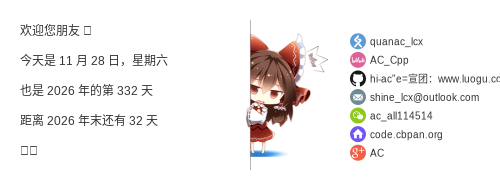(5)超高级的 LaTeX 进阶展示方式
https://www.luogu.com.cn/article/0rs54gie
(6)令人眼花缭乱的符号大全
运用好这些符号即可使您的主页更上一层楼。
ด้้้้้็้้้็็็็็้้้้้็็็็็้้้้้้็็็็็้้้้้็็็็็้้้้้้็็็็็้้้้้็็็็็้้้้้้็็็็็้้้้้็็็็็้้้้้ °分割线 下方内容为更新日志、鸣谢名单,与教程主内容无太大关联。
5. Update更新日志
-
2025年4月25日16:18:05终于把初版写完了。
-
2025年5月1日15:19:51更新的内容有点多,领几个重点:
- 把个人主页美化板块写完了。
- 增加了几个洛谷优化插件,并听取了小伙伴们的建议,改良了一些内容,使其易用性、易于理解性大大增加。
- 目录中增加了大纲。
- 删除了
Acknowledgements-鸣谢板块。 - 宣团广告单独成了一个版块
-
2025年5月25日14:05:01解封后第一时间把被墙掉的油叉链接更换为镜像源。
6. AD广告
-
制作不易,请给我们点个赞吧!求求了!!!足足有 20000+ 字符!!!
