
Python教程(2):标准输入输出流与数据类型
一、input()函数:用户输入的完整指南
1.1 基本用法与返回值
input()函数是Python中获取用户输入的主要方式,其基本语法为:
variable = input([prompt])prompt参数:可选参数,用于显示提示信息- 返回值:始终返回字符串类型,即使输入的是数字
- 特别提醒!
input()函数默认返回str即字符串类型,通常会将类型转换的函数放在一起,例如:
ages = int(input("输入年龄:"))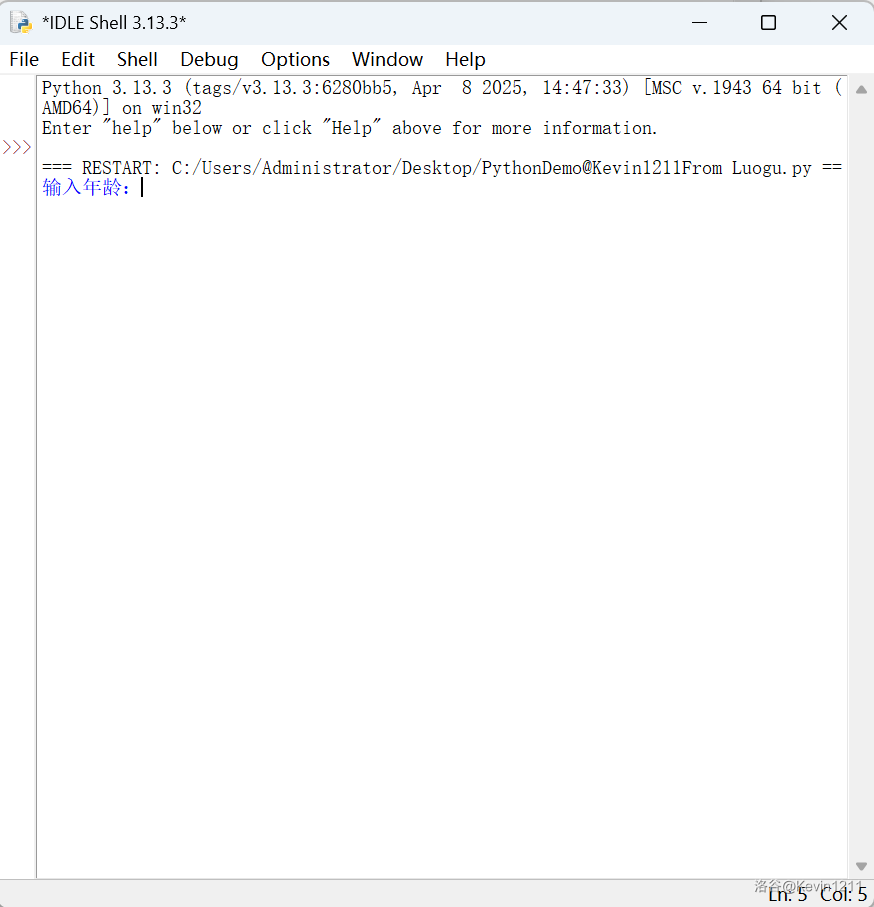
实例:简单交互
# 基础示例
name = input("请输入您的姓名:")  # 显示提示并等待输入
print(f"欢迎您,{name}!")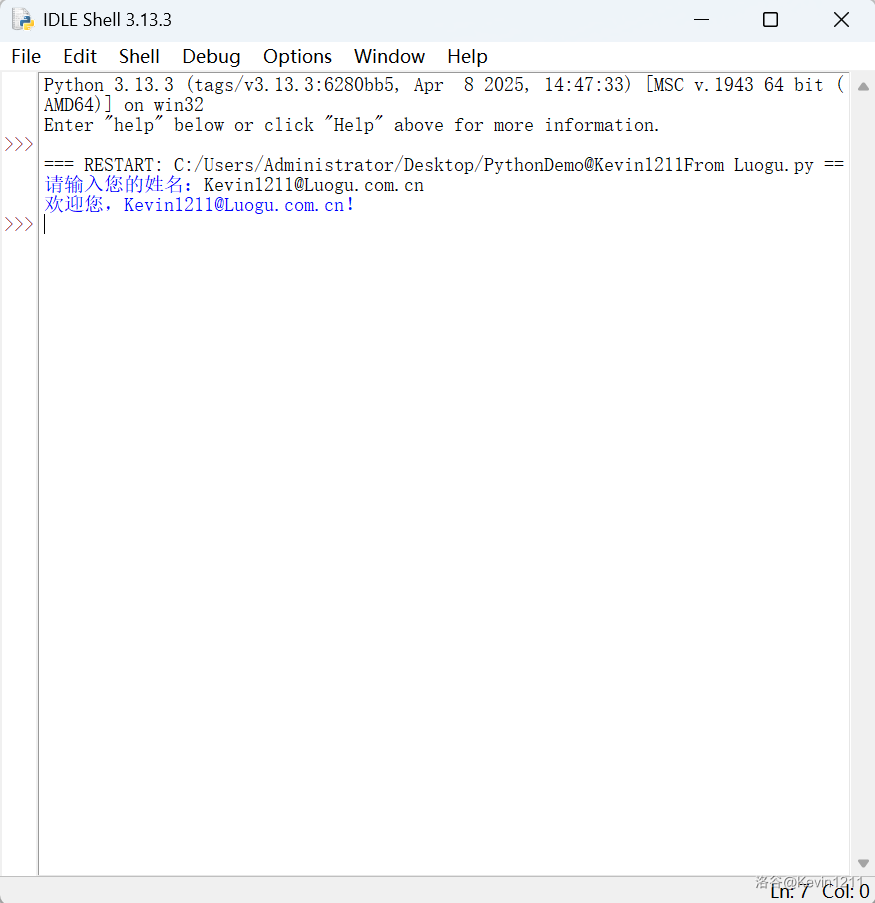
1.2 输入验证与类型转换
由于input()始终返回字符串,通常需要结合类型转换使用:
price = float(input("请输入商品价格:"))
quantity = float(("请输入购买数量:"))
total = price * quantity
print(f"总金额:{total:.2f}元")
# 格式化保留2位小数输出,本文后面会提到。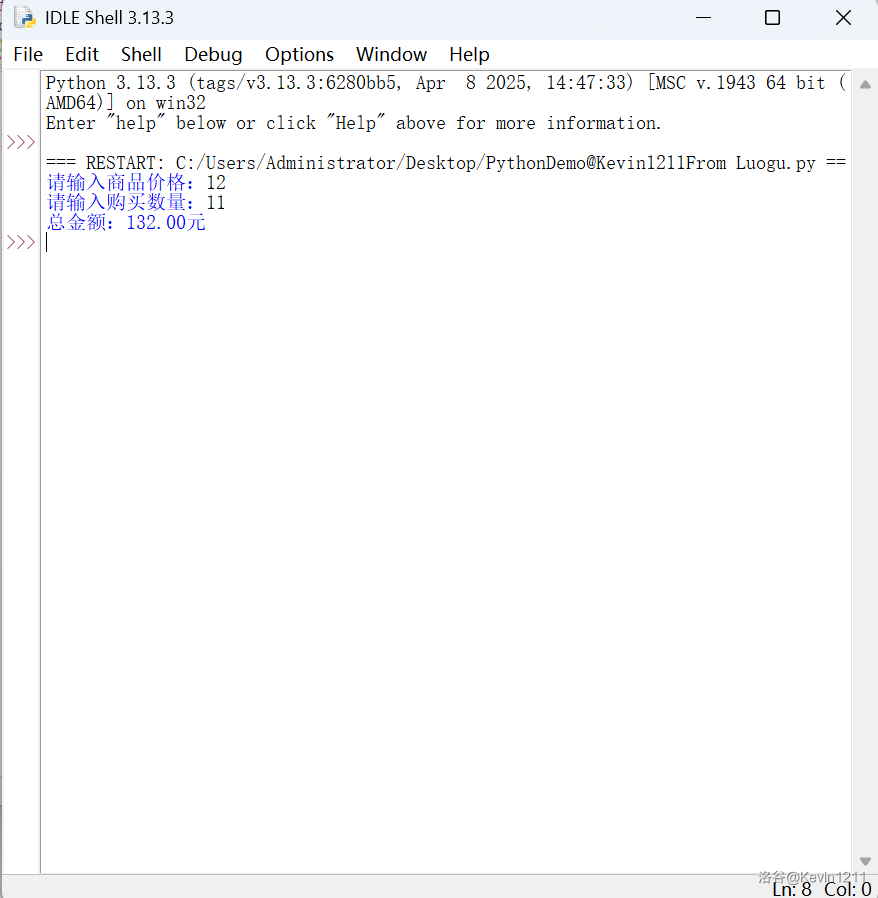
二、print()函数:输出控制的全面掌握
2.1 基本输出格式
print()函数的完整语法:
print(*objects, sep=' ', end='\n', file=sys.stdout, flush=False)- objects:要输出的对象,多个对象用逗号分隔
- sep:分隔符,默认为空格
- end:结束字符,默认为换行符
- file:输出目标,默认为标准输出
- flush:是否立即刷新缓冲区
# 基础示例
print("Hello", "World")  # 输出:Hello World
print("Hello", "World", sep="|")  # 输出:Hello|World
print("Hello", end=" (这里原来是\\n换行符)")  # 不换行,分割为空格
print("World")  # 输出:Hello World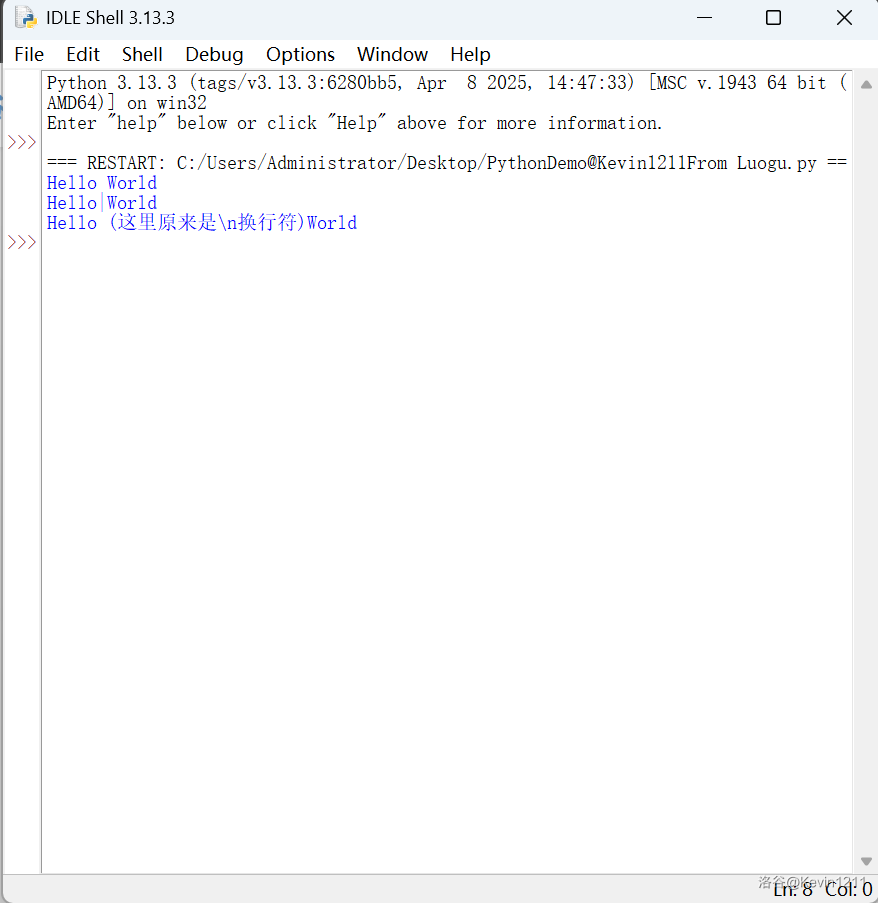
2.2 格式化输出方法比较
Python支持多种字符串格式化方法:
# 1. %格式化(传统方法)
name = "Alice"
age = 25
print("姓名:%s,年龄:%d岁" % (name, age))

# 2. str.format()方法
print("姓名:{},年龄:{}岁".format(name, age))
print("姓名:{0},年龄:{1}岁,{0}很年轻".format(name, age))

# 3. f-string(Python 3.6+)
print(f"姓名:{name},年龄:{age}岁")
print(f"明年将{age + 1}岁")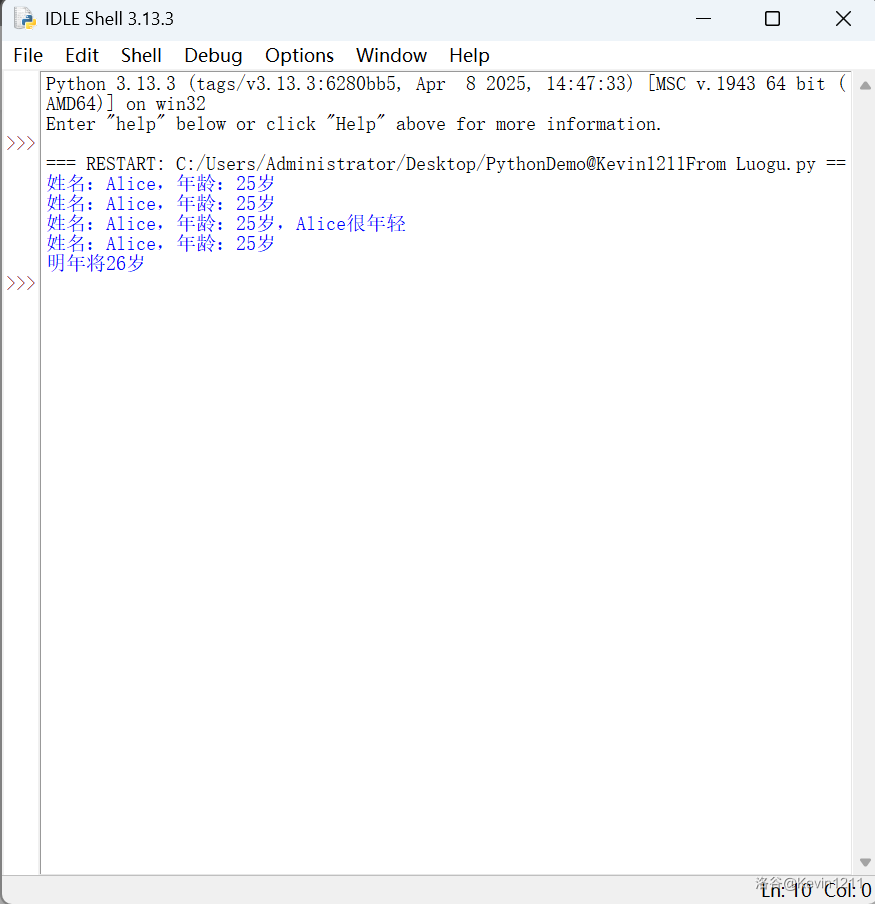
2.3 高级输出控制(其实这里看不懂可以先过,我们基本上不用)
# 对齐与填充
print(f"{'商品名称':<10}{'价格':>8}{'库存':>6}")
print(f"{'苹果':<10}{4.5:8.2f}{100:6d}")
print(f"{'香蕉':<10}{5.8:8.2f}{80:6d}")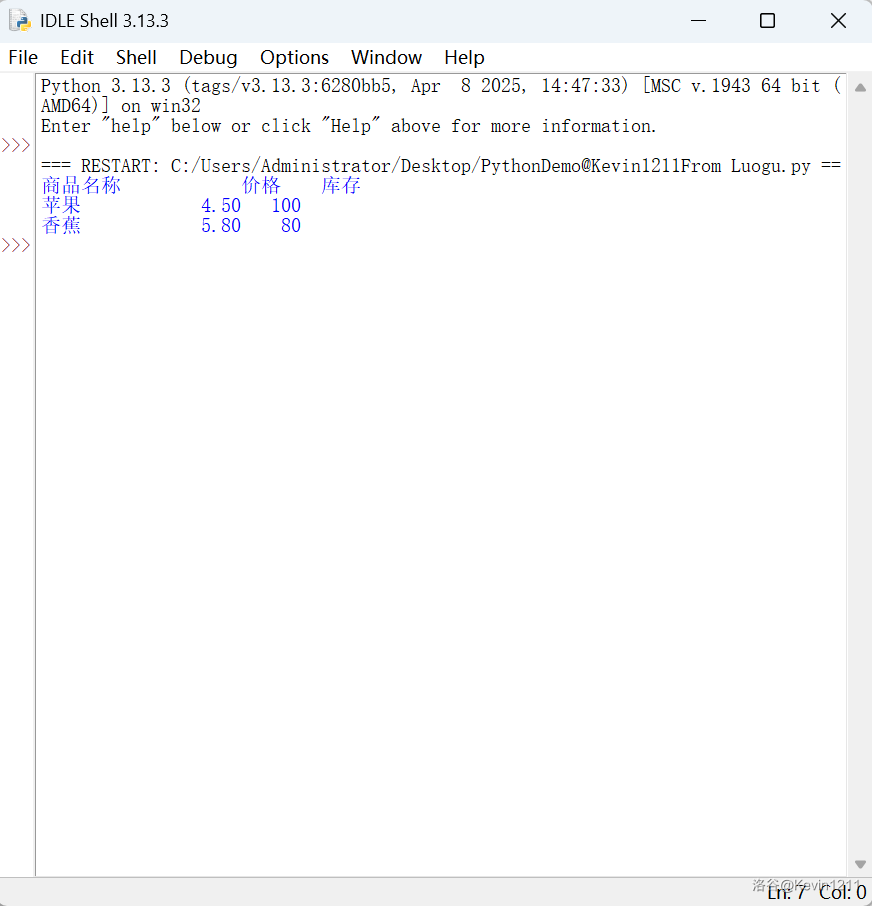
三、字符串处理:从基础到高级技巧
3.1 字符串索引与切片详解
字符串索引规则:
- 正向索引从 开始
- 反向索引从 开始
- 切片格式:
[start:stop:step]
text = "Python编程很有趣"

# 索引
print(text[0])   # 'P'
print(text[-1])  # '趣'

# 切片
print(text[0:6])    # 'Python'
print(text[6:])     # '编程很有趣'
print(text[::2])    # 'Pto编很趣'
print(text[::-1])   # '趣很辑编nohtyP'(反转字符串)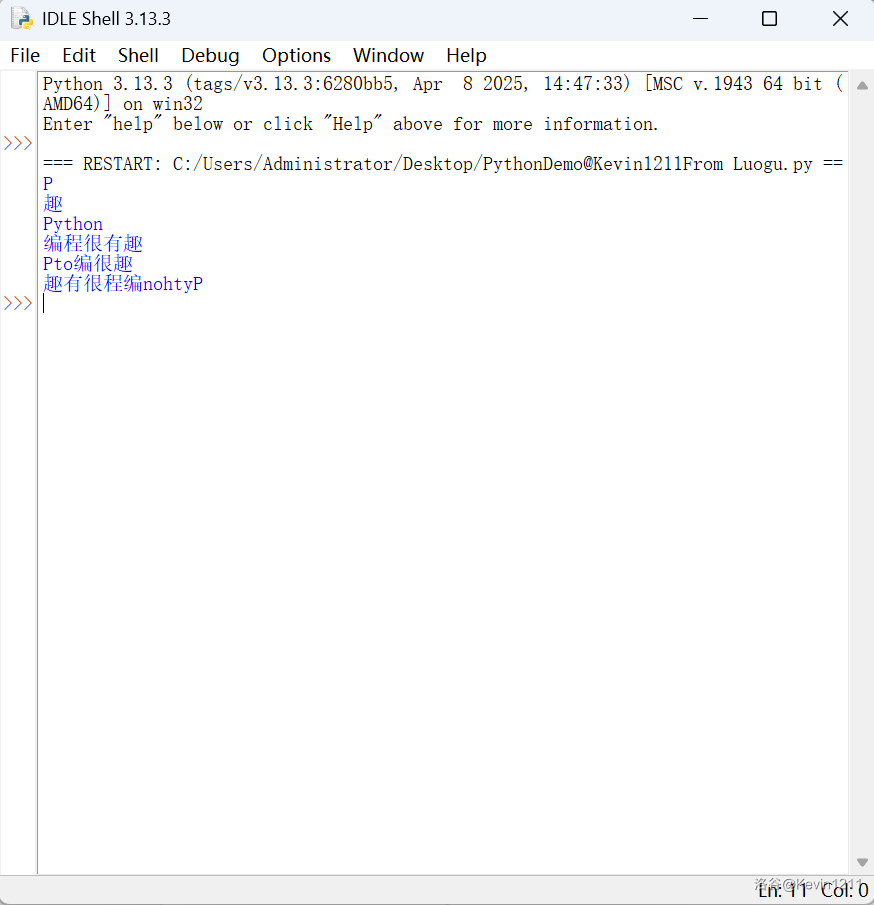
3.2 字符串方法大全
常用字符串方法示例:
s = "  Python编程很有趣!  "

# 大小写转换
print(s.upper())  # '  PYTHON编程很有趣!  '
print(s.lower())  # '  python编程很有趣!  '

# 空白处理
print(s.strip())   # 'Python编程很有趣!'
print(s.lstrip())  # 'Python编程很有趣!  '
print(s.rstrip())  # '  Python编程很有趣!'

# 查找与替换
print(s.find("编程"))  # 8
print(s.replace("有趣", "强大"))  # '  Python编程很强大!  '

# 判断类方法
print("123".isdigit())  # True
print("abc".isalpha())  # True
print("python".startswith("py"))  # True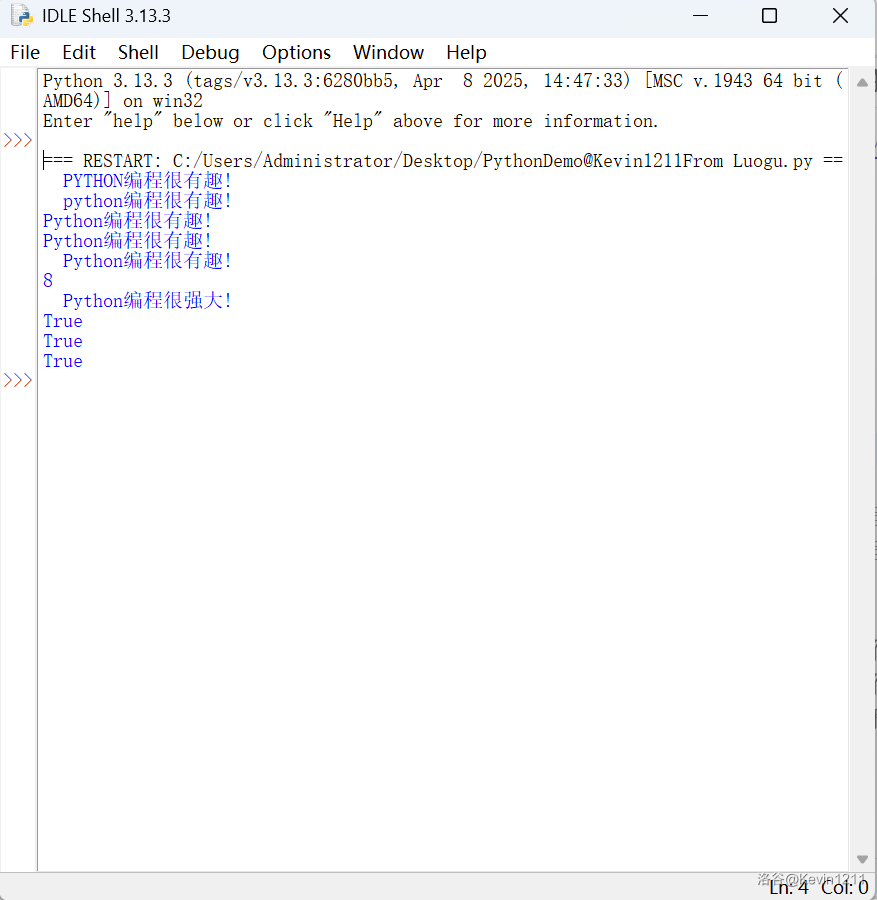
3.3 字符串编码与格式化
# 编码处理
text = "中文"
print(text.encode('utf-8')) #b'\xe4\xb8\xad\xe6\x96\x87'

# 格式化填充
print(f"{'结果':10}: {42:05d}")  # '结果        : 00042'
print(f"{3.1415926:.2f}")       # '3.14'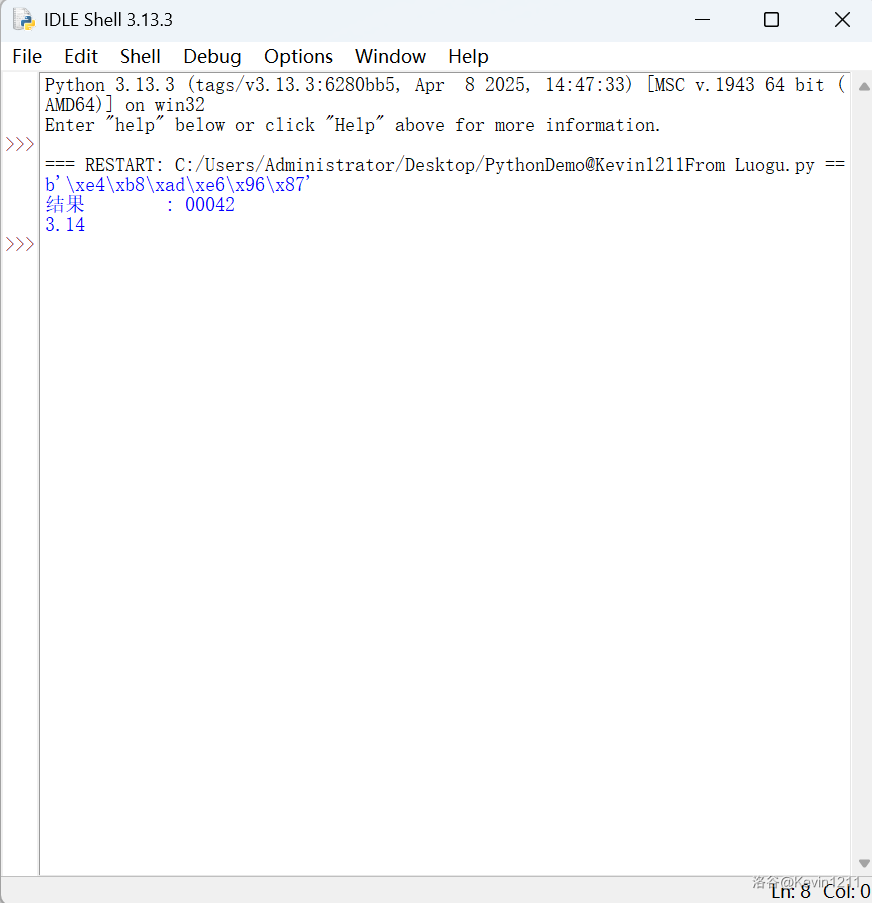
四、数据类型转换:原理与实践
4.1 显式类型转换方法
Python提供的内置转换函数:
# 字符串转数字
int_num = int("42")       # 42
float_num = float("3.14") # 3.14

# 数字转字符串
str_num = str(42)        # '42'
str_float = str(3.14)    # '3.14'

# 布尔转换
bool_val = bool(1)       # True
int_from_bool = int(True) # 1
4.2 隐式类型转换规则
Python在某些情况下会自动进行类型转换:
# 数值运算中的隐式转换
result = 3 + 4.5  # int + float 等价于 float (7.5)

# 布尔值参与运算
total = True + False + 10  # 1 + 0 + 10 = 11

# 字符串与数字的拼接需要显式转换
age = 25
# print("年龄:" + age)  # 错误!
print("年龄:" + str(age))  # 正确
4.3 类型转换陷阱与解决方案
常见问题及解决方法:
# 1. 无效数字字符串
try:
    num = int("42.5")  # ValueError
except ValueError:
    num = int(float("42.5"))  # 先转float再转int

# 2. 非数字字符串转数字
def safe_convert(s):
    try:
        return float(s)
    except ValueError:
        return None

# 3. 处理None值
value = None
print(str(value))  # 'None'
# int(value)  # 报错
五、时间格式化:三种方法深度对比
5.1 %占位符法详解
传统格式化方法,适合简单场景:
from datetime import datetime

now = datetime.now()
# 基本格式化
print("%04d-%02d-%02d" % (now.year, now.month, now.day))
# 输出:2023-09-15

# 数字格式化
print("百分比:%.1f%%" % 75.432)  # 百分比:75.4%

# 填充对齐
print("|%10s|" % "Python")   # |    Python|
print("|%-10s|" % "Python")  # |Python    |
5.2 str.format()方法详解
更灵活的格式化方式:
# 位置参数
print("{1}/{0}/{2}".format(now.month, now.day, now.year))
# 输出:15/9/2023

# 命名参数
print("时间:{hour}:{minute:02d}".format(
    hour=now.hour, minute=now.minute))
# 输出:时间:14:05

# 数字格式化
print("余额:{:,.2f}".format(12345.678))  # 余额:12,345.68
5.3 f-string高级用法
Python 3.6+ 推荐使用,语法简洁:
# 基本用法
print(f"当前时间:{now.hour}:{now.minute:02d}")

# 表达式计算
width = 10
precision = 4
value = 3.1415926
print(f"结果:{value:{width}.{precision}}")  # 结果:     3.142

# 多行f-string
message = (
    f"日期:{now.year}-{now.month:02d}-{now.day:02d}\n"
    f"时间:{now.hour:02d}:{now.minute:02d}"
)
print(message)
六、综合应用:智能问答系统
结合所有知识点的完整示例:
def smart_qa_system():
    print("=== 智能问答系统 ===")
    print("1. 计算器")
    print("2. 藏头诗生成")
    print("3. 年龄计算")

    while True:
        choice = input("请选择功能(1-3):")
        if choice in ('1', '2', '3'):
            break
        print("输入无效,请重新选择!")

    if choice == '1':
        # 计算器功能
        expr = input("请输入算术表达式(如3+5):")
        try:
            result = eval(expr)  # 注意:实际应用中应使用更安全的方法
            print(f"结果:{expr}={result}")
        except:
            print("表达式无效!")

    elif choice == '2':
        # 藏头诗生成
        words = input("请输入藏头字(2-4个汉字):")
        while len(words) < 2 or len(words) > 4:
            words = input("请输入2-4个汉字:")

        poems = [
            "春风得意马蹄疾,一日看尽长安花。",
            "海内存知己,天涯若比邻。",
            "天生我材必有用,千金散尽还复来。",
            "人生自古谁无死,留取丹心照汗青。"
        ]

        print("\n生成的藏头诗:")
        for i, char in enumerate(words):
            print(f"{char}:{poems[i]}")

    elif choice == '3':
        # 年龄计算
        birth_year = input("请输入您的出生年份:")
        while not birth_year.isdigit():
            birth_year = input("请输入有效年份:")

        current_year = datetime.now().year
        age = current_year - int(birth_year)
        print(f"您今年{age}岁,生肖是{get_zodiac(int(birth_year))}")

def get_zodiac(year):
    zodiacs = ["鼠", "牛", "虎", "兔", "龙", "蛇",
               "马", "羊", "猴", "鸡", "狗", "猪"]
    return zodiacs[(year - 4) % 12]
七、最佳实践与常见问题
7.1 输入输出最佳实践
- 输入验证:始终验证用户输入的有效性。
- 类型安全:明确进行类型转换,不要依赖隐式转换。
- 格式化选择:优先使用
f-string,复杂场景用str.format()。 - 错误处理:使用
try-except处理可能的转换错误。
7.2 常见问题解决方案
Q1:如何让 input() 输入密码时不显示?
import getpass

password = getpass.getpass("请输入密码:")Q2:如何输出到文件?
with open("output.txt", "w") as f:
print("保存的内容", file=f)Q3:如何控制浮点数精度?
pi = 3.1415926
print(f"{pi:.2f}")  # 3.14
print("%.3f" % pi) # 3.142Q4:Python在哪里运行?
你需要搭建一个python环境,Python推荐在这里下载:Python官网(python.org),并使用Python官方IDLE。
或者,你可以使用编辑器如VSCode,推荐在这里:VScode官网,找到Download按钮就可以下载,配置这方面我们找一期讲讲吧。
Q5:Python中字符串用单引号和双引号括起来有区别吗?
据作者的了解,Python3.x中没有。
记住,熟练运用这些基础功能是成为Python专家的第一步。