
Step 0.准备
鉴于自己一个人在家没事干,我准备手搓一些奇奇怪怪的东西。
声明:本文中 的代码由 Deepseek-V3/R1 生成。
开发环境:小熊猫Devc++,Ubuntu.
本人对于 3D 渲染一窍不通,欢迎 dalao 指点。
Step 1.开始
- 渲染: 我准备使用OpenGL + glad +…等等。
题外话:在 年前,我曾经(也是没事干)搓了一个这个:https://world.xiaomawang.com/community/main/compose/yuAP666J 今天在
自学复制了柏林噪声后有了这个:
#include <vector>
#include <numeric>
#include <random>
#include <algorithm>
#include <cmath>
#include <iostream>
using namespace std;

class PerlinNoise3D {
private:
	std::vector<int> p; // 排列表
	std::vector<std::vector<double>> G; // 梯度表 (256个3D梯度向量)

	// 改进的梯度函数
	double grad(int hash, double x, double y, double z) {
		// 将哈希值映射到12个可能的梯度方向之一
		switch(hash & 0xF) {
			case 0x0: return  x + y;
			case 0x1: return -x + y;
			case 0x2: return  x - y;
			case 0x3: return -x - y;
			case 0x4: return  x + z;
			case 0x5: return -x + z;
			case 0x6: return  x - z;
			case 0x7: return -x - z;
			case 0x8: return  y + z;
			case 0x9: return -y + z;
			case 0xA: return  y - z;
			case 0xB: return -y - z;
			case 0xC: return  y + x;
			case 0xD: return -y + z;
			case 0xE: return  y - x;
			case 0xF: return -y - z;
			default: return 0; // 永远不会执行
		}
	}

	double lerp(double t, double a, double b) {
		return a + t * (b - a);
	}

	double fade(double t) {
		return t * t * t * (t * (t * 6 - 15) + 10);
	}

public:
	void init(const int seed) {
		// 初始化排列表
		p.resize(256);
		std::iota(p.begin(), p.end(), 0);

		// 使用种子打乱排列表
		std::default_random_engine engine(seed);
		std::shuffle(p.begin(), p.end(), engine);

		// 扩展排列表到512个元素
		p.insert(p.end(), p.begin(), p.end());

		// 初始化梯度表 (256个3D梯度向量)
		G.resize(256, std::vector<double>(3));
		std::uniform_real_distribution<double> dist(-1.0, 1.0);

		for (int i = 0; i < 256; ++i) {
			// 生成单位球面上的随机向量
			double x, y, z;
			do {
				x = dist(engine);
				y = dist(engine);
				z = dist(engine);
			} while (x*x + y*y + z*z > 1.0); // 拒绝采样确保在单位球内

			// 归一化
			double len = sqrt(x*x + y*y + z*z);
			G[i][0] = x/len;
			G[i][1] = y/len;
			G[i][2] = z/len;
		}
	}

	double find(double x, double y, double z) {
		// 找到单位立方体包含的点
		int X = (int)floor(x) & 255;
		int Y = (int)floor(y) & 255;
		int Z = (int)floor(z) & 255;

		// 找到点在单位立方体中的相对位置
		x -= floor(x);
		y -= floor(y);
		z -= floor(z);

		// 计算衰减曲线
		double u = fade(x);
		double v = fade(y);
		double w = fade(z);

		// 计算8个角点的哈希值
		int A = p[X] + Y;
		int AA = p[A] + Z;
		int AB = p[A + 1] + Z;
		int B = p[X + 1] + Y;
		int BA = p[B] + Z;
		int BB = p[B + 1] + Z;

		// 计算8个角点的梯度贡献
		double g0 = grad(p[AA], x, y, z);
		double g1 = grad(p[BA], x-1, y, z);
		double g2 = grad(p[AB], x, y-1, z);
		double g3 = grad(p[BB], x-1, y-1, z);
		double g4 = grad(p[AA+1], x, y, z-1);
		double g5 = grad(p[BA+1], x-1, y, z-1);
		double g6 = grad(p[AB+1], x, y-1, z-1);
		double g7 = grad(p[BB+1], x-1, y-1, z-1);

		// 三线性插值
		double lerp1 = lerp(u, g0, g1);
		double lerp2 = lerp(u, g2, g3);
		double lerp3 = lerp(u, g4, g5);
		double lerp4 = lerp(u, g6, g7);

		double lerpA = lerp(v, lerp1, lerp2);
		double lerpB = lerp(v, lerp3, lerp4);

		double result = lerp(w, lerpA, lerpB);

		// 将结果从[-1,1]映射到[0,1]
		return (result + 1.0) / 2.0;
	}
};
int main(){
	PerlinNoise3D N;
	N.init(1);
	double Limit = 0.7;
//	for(int i = 1;i <= 10;i++){
//		cout << "floor " << i << endl << endl;
//		for(double x = 0.1;x <= 3;x+=0.1){
//			for(double y = 0.1;y <= 3;y += 0.1){
//				cout << (N.find(x,y,i) <= Limit ? "[]" : "  ");
//			}
//			cout << endl;
//		}
//	}
}
首先,我配置了 OpenGL 的一些奇奇怪怪的东西,例如 GLFW,glm等等。
在与 deepseek 大战了 回合后,我得到了以下代码:
#include <glad/glad.h>
#include <GLFW/glfw3.h>
#include <iostream>
#include <glm/glm.hpp>
#include <glm/gtc/matrix_transform.hpp>
#include <glm/gtc/type_ptr.hpp>
#define STB_IMAGE_IMPLEMENTATION
#include "stb_image.h"

// 摄像机参数
glm::vec3 cameraPos   = glm::vec3(0.0f, 0.0f, 3.0f);
glm::vec3 cameraFront = glm::vec3(0.0f, 0.0f, -1.0f);
glm::vec3 cameraUp    = glm::vec3(0.0f, 1.0f, 0.0f);

// 鼠标控制变量
bool firstMouse = true;
float yaw = -90.0f;
float pitch = 0.0f;
float lastX = 800.0f / 2.0f;
float lastY = 600.0f / 2.0f;
float fov = 45.0f;

// 纹理ID
unsigned int texture;

// 加载纹理函数
unsigned int loadTexture(const char* path) {
	unsigned int textureID;
	glGenTextures(1, &textureID);

	int width, height, nrComponents;
	unsigned char* data = stbi_load(path, &width, &height, &nrComponents, 0);
	if (data) {
		GLenum format;
		if (nrComponents == 1)
			format = GL_RED;
		else if (nrComponents == 3)
			format = GL_RGB;
		else if (nrComponents == 4)
			format = GL_RGBA;

		glBindTexture(GL_TEXTURE_2D, textureID);
		glTexImage2D(GL_TEXTURE_2D, 0, format, width, height, 0, format, GL_UNSIGNED_BYTE, data);
		glGenerateMipmap(GL_TEXTURE_2D);

		glTexParameteri(GL_TEXTURE_2D, GL_TEXTURE_WRAP_S, GL_REPEAT);
		glTexParameteri(GL_TEXTURE_2D, GL_TEXTURE_WRAP_T, GL_REPEAT);
		glTexParameteri(GL_TEXTURE_2D, GL_TEXTURE_MIN_FILTER, GL_NEAREST_MIPMAP_NEAREST); // 使用NEAREST保持像素风格
		glTexParameteri(GL_TEXTURE_2D, GL_TEXTURE_MAG_FILTER, GL_NEAREST); // 使用NEAREST保持像素风格

		stbi_image_free(data);
	} else {
		std::cout << "Texture failed to load at path: " << path << std::endl;
		stbi_image_free(data);
	}

	return textureID;
}

// 鼠标回调函数
void mouse_callback(GLFWwindow* window, double xpos, double ypos) {
	if (firstMouse) {
		lastX = xpos;
		lastY = ypos;
		firstMouse = false;
	}

	float xoffset = xpos - lastX;
	float yoffset = lastY - ypos;
	lastX = xpos;
	lastY = ypos;

	float sensitivity = 0.1f;
	xoffset *= sensitivity;
	yoffset *= sensitivity;

	yaw += xoffset;
	pitch += yoffset;

	if (pitch > 89.0f)
		pitch = 89.0f;
	if (pitch < -89.0f)
		pitch = -89.0f;

	glm::vec3 front;
	front.x = cos(glm::radians(yaw)) * cos(glm::radians(pitch));
	front.y = sin(glm::radians(pitch));
	front.z = sin(glm::radians(yaw)) * cos(glm::radians(pitch));
	cameraFront = glm::normalize(front);
}

// 滚轮回调函数
void scroll_callback(GLFWwindow* window, double xoffset, double yoffset) {
	fov -= (float)yoffset;
	if (fov < 1.0f)
		fov = 1.0f;
	if (fov > 45.0f)
		fov = 45.0f;
}

// 处理键盘输入
void processInput(GLFWwindow* window, float deltaTime) {
	float cameraSpeed = 2.5f * deltaTime;

	if (glfwGetKey(window, GLFW_KEY_ESCAPE) == GLFW_PRESS)
		glfwSetWindowShouldClose(window, true);

	if (glfwGetKey(window, GLFW_KEY_W) == GLFW_PRESS)
		cameraPos += cameraSpeed * cameraFront;
	if (glfwGetKey(window, GLFW_KEY_S) == GLFW_PRESS)
		cameraPos -= cameraSpeed * cameraFront;
	if (glfwGetKey(window, GLFW_KEY_A) == GLFW_PRESS)
		cameraPos -= glm::normalize(glm::cross(cameraFront, cameraUp)) * cameraSpeed;
	if (glfwGetKey(window, GLFW_KEY_D) == GLFW_PRESS)
		cameraPos += glm::normalize(glm::cross(cameraFront, cameraUp)) * cameraSpeed;
	if (glfwGetKey(window, GLFW_KEY_SPACE) == GLFW_PRESS)
		cameraPos += cameraSpeed * cameraUp;
	if (glfwGetKey(window, GLFW_KEY_LEFT_SHIFT) == GLFW_PRESS)
		cameraPos -= cameraSpeed * cameraUp;
}

int main() {
	// 初始化GLFW
	glfwInit();
	glfwWindowHint(GLFW_CONTEXT_VERSION_MAJOR, 3);
	glfwWindowHint(GLFW_CONTEXT_VERSION_MINOR, 3);
	glfwWindowHint(GLFW_OPENGL_PROFILE, GLFW_OPENGL_CORE_PROFILE);

	// 创建窗口
	GLFWwindow* window = glfwCreateWindow(800, 600, "Textured Cube", NULL, NULL);
	if (window == NULL) {
		std::cout << "Failed to create GLFW window" << std::endl;
		glfwTerminate();
		return -1;
	}
	glfwMakeContextCurrent(window);
	glfwSetCursorPosCallback(window, mouse_callback);
	glfwSetScrollCallback(window, scroll_callback);
	glfwSetInputMode(window, GLFW_CURSOR, GLFW_CURSOR_DISABLED);

	// 初始化GLAD
	if (!gladLoadGLLoader((GLADloadproc)glfwGetProcAddress)) {
		std::cout << "Failed to initialize GLAD" << std::endl;
		return -1;
	}

	// 配置全局OpenGL状态
	glEnable(GL_DEPTH_TEST);

	// 构建并编译着色器程序
	const char* vertexShaderSource = R"(
#version 330 core
layout (location = 0) in vec3 aPos;
layout (location = 1) in vec2 aTexCoord;
out vec2 TexCoord;
uniform mat4 model;
uniform mat4 view;
uniform mat4 projection;
void main() {
gl_Position = projection * view * model * vec4(aPos, 1.0);
TexCoord = aTexCoord;
}
)";

	const char* fragmentShaderSource = R"(
#version 330 core
in vec2 TexCoord;
out vec4 FragColor;
uniform sampler2D texture1;
void main() {
FragColor = texture(texture1, TexCoord);
}
)";

	unsigned int vertexShader = glCreateShader(GL_VERTEX_SHADER);
	glShaderSource(vertexShader, 1, &vertexShaderSource, NULL);
	glCompileShader(vertexShader);

	unsigned int fragmentShader = glCreateShader(GL_FRAGMENT_SHADER);
	glShaderSource(fragmentShader, 1, &fragmentShaderSource, NULL);
	glCompileShader(fragmentShader);

	unsigned int shaderProgram = glCreateProgram();
	glAttachShader(shaderProgram, vertexShader);
	glAttachShader(shaderProgram, fragmentShader);
	glLinkProgram(shaderProgram);

	glDeleteShader(vertexShader);
	glDeleteShader(fragmentShader);

	// 设置顶点数据和缓冲
	float vertices[] = {
		// 位置              // 纹理坐标
		-0.5f, -0.5f, -0.5f,  0.0f, 0.0f,
		0.5f, -0.5f, -0.5f,  1.0f, 0.0f,
		0.5f,  0.5f, -0.5f,  1.0f, 1.0f,
		0.5f,  0.5f, -0.5f,  1.0f, 1.0f,
		-0.5f,  0.5f, -0.5f,  0.0f, 1.0f,
		-0.5f, -0.5f, -0.5f,  0.0f, 0.0f,

		-0.5f, -0.5f,  0.5f,  0.0f, 0.0f,
		0.5f, -0.5f,  0.5f,  1.0f, 0.0f,
		0.5f,  0.5f,  0.5f,  1.0f, 1.0f,
		0.5f,  0.5f,  0.5f,  1.0f, 1.0f,
		-0.5f,  0.5f,  0.5f,  0.0f, 1.0f,
		-0.5f, -0.5f,  0.5f,  0.0f, 0.0f,

		-0.5f,  0.5f,  0.5f,  1.0f, 0.0f,
		-0.5f,  0.5f, -0.5f,  1.0f, 1.0f,
		-0.5f, -0.5f, -0.5f,  0.0f, 1.0f,
		-0.5f, -0.5f, -0.5f,  0.0f, 1.0f,
		-0.5f, -0.5f,  0.5f,  0.0f, 0.0f,
		-0.5f,  0.5f,  0.5f,  1.0f, 0.0f,

		0.5f,  0.5f,  0.5f,  1.0f, 0.0f,
		0.5f,  0.5f, -0.5f,  1.0f, 1.0f,
		0.5f, -0.5f, -0.5f,  0.0f, 1.0f,
		0.5f, -0.5f, -0.5f,  0.0f, 1.0f,
		0.5f, -0.5f,  0.5f,  0.0f, 0.0f,
		0.5f,  0.5f,  0.5f,  1.0f, 0.0f,

		-0.5f, -0.5f, -0.5f,  0.0f, 1.0f,
		0.5f, -0.5f, -0.5f,  1.0f, 1.0f,
		0.5f, -0.5f,  0.5f,  1.0f, 0.0f,
		0.5f, -0.5f,  0.5f,  1.0f, 0.0f,
		-0.5f, -0.5f,  0.5f,  0.0f, 0.0f,
		-0.5f, -0.5f, -0.5f,  0.0f, 1.0f,

		-0.5f,  0.5f, -0.5f,  0.0f, 1.0f,
		0.5f,  0.5f, -0.5f,  1.0f, 1.0f,
		0.5f,  0.5f,  0.5f,  1.0f, 0.0f,
		0.5f,  0.5f,  0.5f,  1.0f, 0.0f,
		-0.5f,  0.5f,  0.5f,  0.0f, 0.0f,
		-0.5f,  0.5f, -0.5f,  0.0f, 1.0f
	};

	unsigned int VBO, VAO;
	glGenVertexArrays(1, &VAO);
	glGenBuffers(1, &VBO);

	glBindVertexArray(VAO);
	glBindBuffer(GL_ARRAY_BUFFER, VBO);
	glBufferData(GL_ARRAY_BUFFER, sizeof(vertices), vertices, GL_STATIC_DRAW);

	// 位置属性
	glVertexAttribPointer(0, 3, GL_FLOAT, GL_FALSE, 5 * sizeof(float), (void*)0);
	glEnableVertexAttribArray(0);
	// 纹理坐标属性
	glVertexAttribPointer(1, 2, GL_FLOAT, GL_FALSE, 5 * sizeof(float), (void*)(3 * sizeof(float)));
	glEnableVertexAttribArray(1);

	// 加载纹理
	texture = loadTexture("stone.png");

	// 渲染循环
	float deltaTime = 0.0f;
	float lastFrame = 0.0f;

	while (!glfwWindowShouldClose(window)) {
		// 计算每帧时间
		float currentFrame = glfwGetTime();
		deltaTime = currentFrame - lastFrame;
		lastFrame = currentFrame;

		// 输入处理
		processInput(window, deltaTime);

		// 渲染
		glClearColor(0.2f, 0.3f, 0.3f, 1.0f);
		glClear(GL_COLOR_BUFFER_BIT | GL_DEPTH_BUFFER_BIT);

		// 绑定纹理
		glActiveTexture(GL_TEXTURE0);
		glBindTexture(GL_TEXTURE_2D, texture);

		// 激活着色器
		glUseProgram(shaderProgram);

		// 创建变换矩阵
		glm::mat4 model = glm::mat4(1.0f);
		glm::mat4 view = glm::lookAt(cameraPos, cameraPos + cameraFront, cameraUp);
		glm::mat4 projection = glm::perspective(glm::radians(fov), 800.0f / 600.0f, 0.1f, 100.0f);

		// 传递矩阵到着色器
		unsigned int modelLoc = glGetUniformLocation(shaderProgram, "model");
		glUniformMatrix4fv(modelLoc, 1, GL_FALSE, glm::value_ptr(model));

		unsigned int viewLoc = glGetUniformLocation(shaderProgram, "view");
		glUniformMatrix4fv(viewLoc, 1, GL_FALSE, glm::value_ptr(view));

		unsigned int projectionLoc = glGetUniformLocation(shaderProgram, "projection");
		glUniformMatrix4fv(projectionLoc, 1, GL_FALSE, glm::value_ptr(projection));

		// 渲染立方体
		glBindVertexArray(VAO);
		glDrawArrays(GL_TRIANGLES, 0, 36);

		// 交换缓冲区和轮询IO事件
		glfwSwapBuffers(window);
		glfwPollEvents();
	}

	// 清理资源
	glDeleteVertexArrays(1, &VAO);
	glDeleteBuffers(1, &VBO);
	glDeleteProgram(shaderProgram);

	glfwTerminate();
	return 0;
}
效果图:
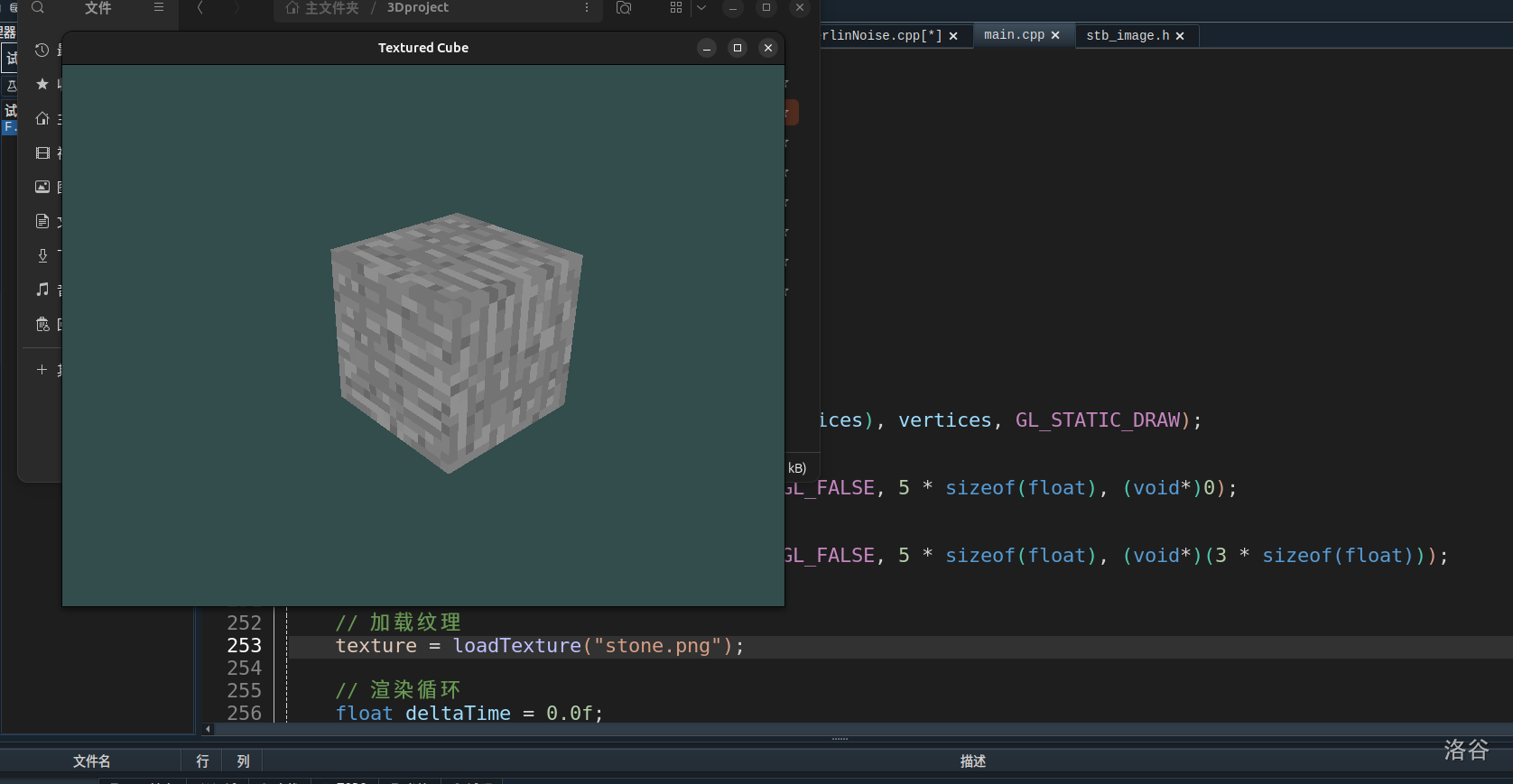
Camera 是可以自由移动的。
但是这个石头的贴图方向怪怪的。
不过没事。
下一步:破坏与放置。
我内置了一个 build 函数用于放置方块,这很好。
Deepseek : 我将实现鼠标右键点击在立方体对应面创建新方块的功能。这需要添加鼠标按键检测、射线碰撞检测和面法线计算。以下是完整实现:
(此处省略 个字符)。

于是便有了这个:
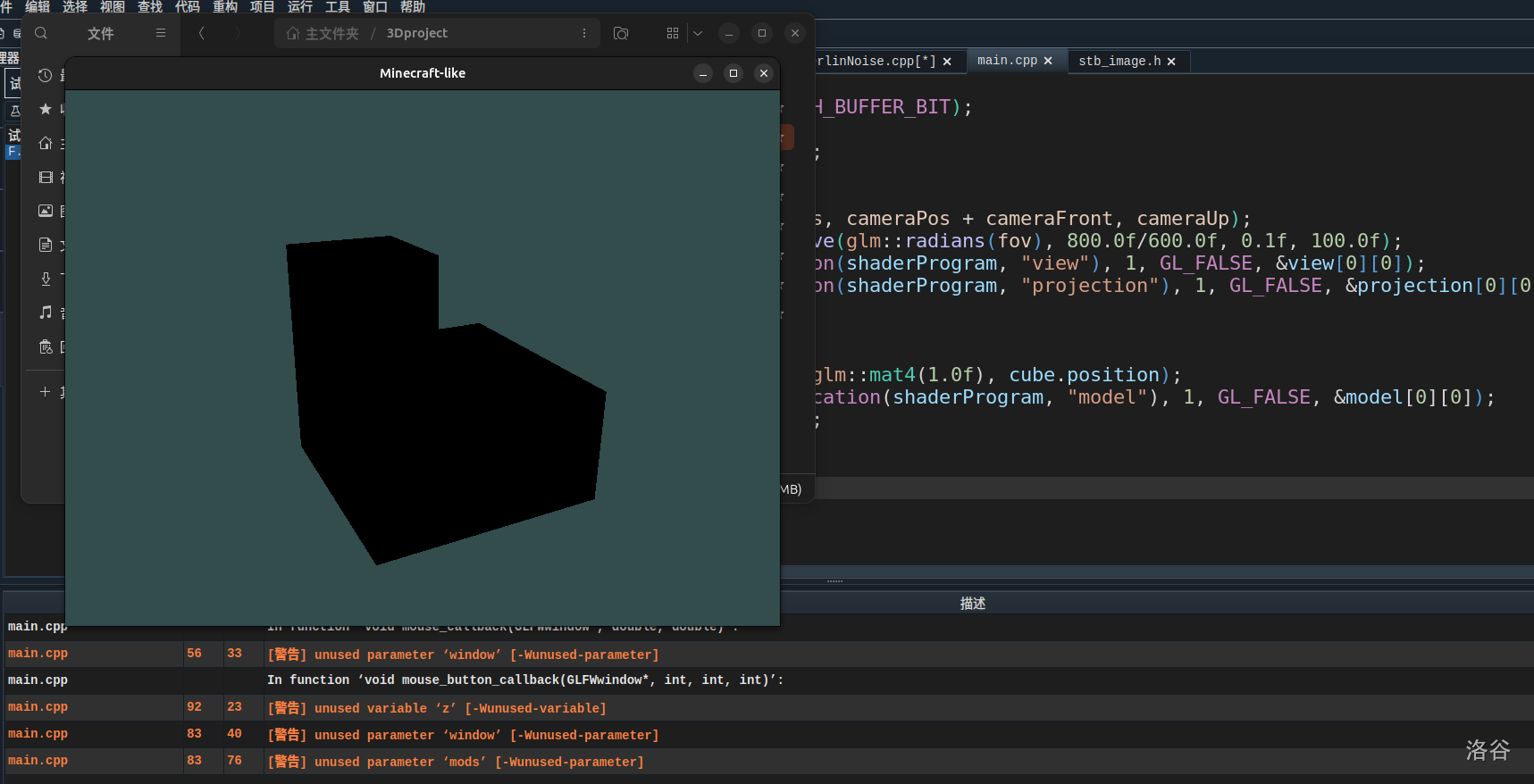
你没看错,贴图又炸了。
他居然还给我命了个名:Minecraft Like.
MOJANG : 律师函警告
代码:https://www.luogu.com.cn/paste/jstpywp1
下一步:准星绘制
Deepseek: 我将为您添加十字准星并增加方块放置距离。以下是修改后的完整代码:(此处省略 个字符)。
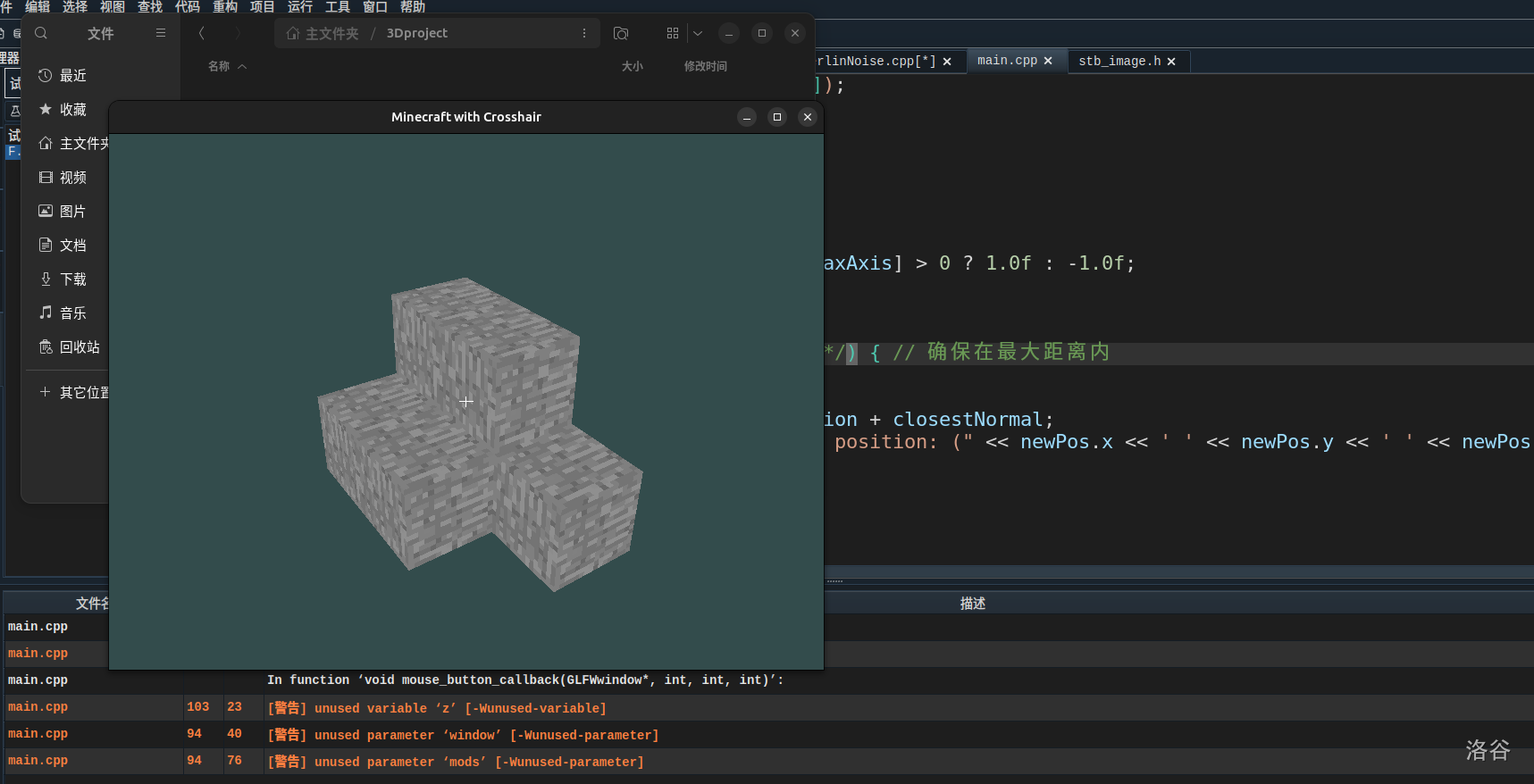
放置距离怎么只有 个像素?!强制贴脸开大是吧?
直接把放置距离限制删了!
建筑党启动! 诶这鼠标位置有问题啊!
原来是没全屏。
于是 bug 喷涌而出。
??我要的不是修改意见,是完整代码!
我终于理解 MOJANG 屎山 代码的由来了。
3Dproject/main.cpp	0	-1	In function ‘void framebuffer_size_callback(GLFWwindow*, int, int)’:
3Dproject/main.cpp	71	44	[警告] unused parameter ‘window’ [-Wunused-parameter]
3Dproject/main.cpp	0	-1	In function ‘void mouse_callback(GLFWwindow*, double, double)’:
3Dproject/main.cpp	80	33	[警告] unused parameter ‘window’ [-Wunused-parameter]
3Dproject/main.cpp	0	-1	In function ‘void mouse_button_callback(GLFWwindow*, int, int, int)’:
3Dproject/main.cpp	107	40	[警告] unused parameter ‘window’ [-Wunused-parameter]
3Dproject/main.cpp	107	76	[警告] unused parameter ‘mods’ [-Wunused-parameter]
3Dproject/main.cpp	0	-1	In function ‘void renderCrosshair()’:
3Dproject/main.cpp	212	15	[错误] ‘GL_PROJECTION’ was not declared in this scope
3Dproject/main.cpp	212	2	[错误] ‘glMatrixMode’ was not declared in this scope
3Dproject/main.cpp	213	2	[错误] ‘glPushMatrix’ was not declared in this scope
3Dproject/main.cpp	214	2	[错误] ‘glLoadIdentity’ was not declared in this scope
3Dproject/main.cpp	215	2	[错误] ‘glOrtho’ was not declared in this scope
3Dproject/main.cpp	216	15	[错误] ‘GL_MODELVIEW’ was not declared in this scope
3Dproject/main.cpp	226	2	[错误] ‘glPopMatrix’ was not declared in this scope
然后就有了

下一秒:
ollama run deepseek-r1:14b于是,看着光秃秃的石墙,我加入了柏林噪声和泥土。效果:
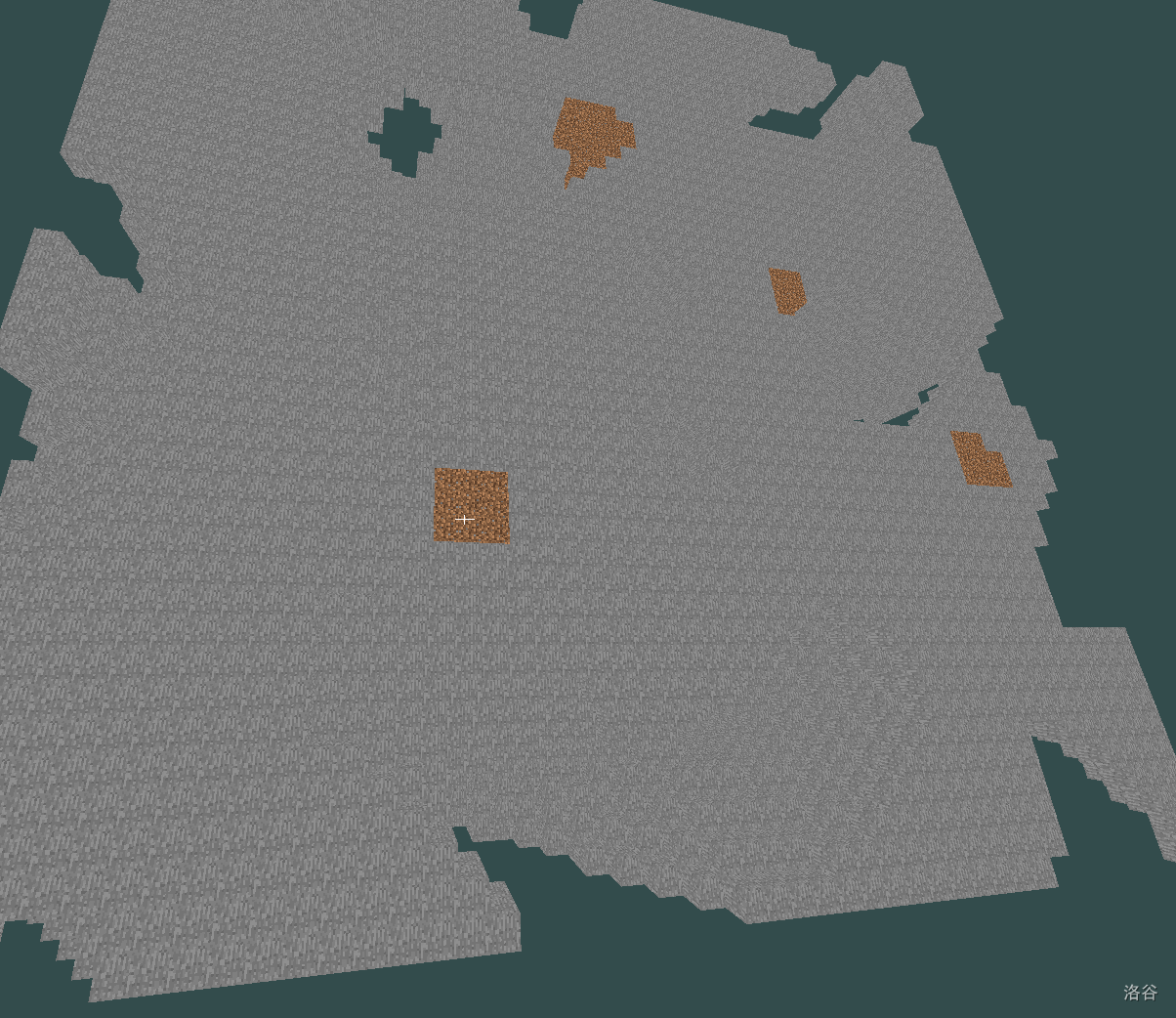
好看!真实!开干!
话说这准星也不准啊……
不管了,整地形!
地表的密度应该出现一段峰值……
okok,修好了!
地表现在已经有模有样,就是不长草。