
一键跳转 VJudge 脚本
新版同步于 GitHub 仓库,可以去 Star 一下。
保命声明:完全开源免费,拒绝商业化。仅供学术研究,严禁用于一切非正当行为。
脚本简介
洛谷 和 VJudge 是两大高频使用的平台:
- 洛谷题量丰富、社区活跃;
- VJudge 支持多平台题目聚合、组队训练。
二者结合能大幅提升刷题效率。
随着洛谷 RMJ 下线,刷其他 OJ 的题目不再方便,而 VJudge 仍可提交 CF、AT、SPOJ 等题目,自由度较高。于是就有了这个脚本(网上旧脚本因洛谷新版 UI 已失效)。优点如下:
方便快捷
手动在两个平台间切换、查找对应编号耗时费力。
「洛谷一键跳转 VJudge」 脚本适配洛谷新版 UI,支持 CF / SPOJ / AtCoder / UVA 四大平台题目一键跳转,自动识别题目编号并拼接 VJudge 链接,让跨平台刷题一步到位。
美观大气
视觉效果与洛谷原生按钮无缝融合:
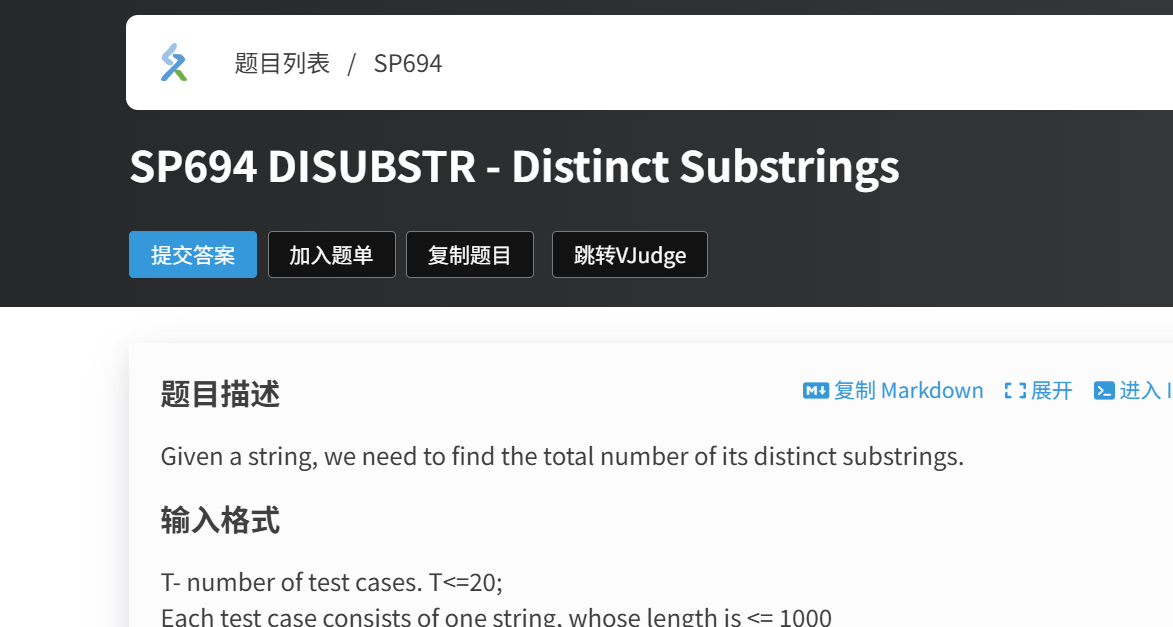
脚本生成的按钮在背景色、字体、高度、对齐方式等方面均与原生按钮一致,不破坏页面美观;点击后于新标签页打开 VJudge 题目,不影响当前刷题进度。
使用指南
步骤 1:安装脚本管理器
在浏览器扩展商店搜索并安装 Tampermonkey 或 Violentmonkey。
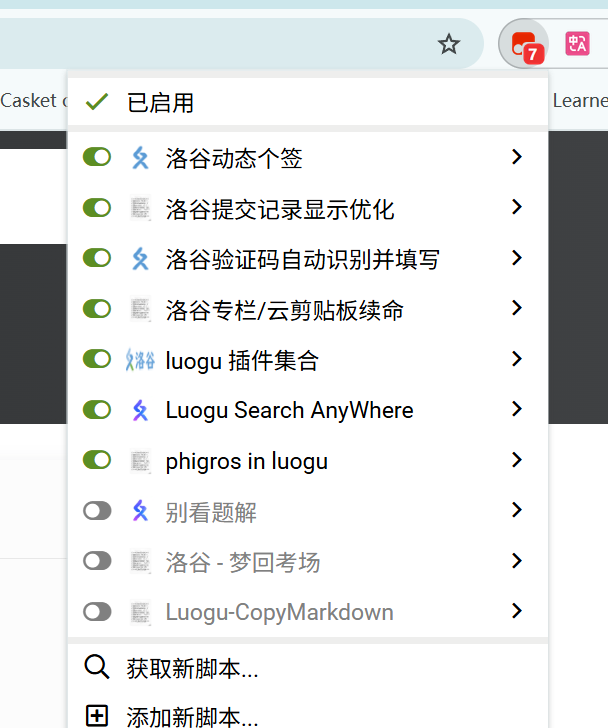
相信很多人都喜欢用脚本优化做题体验。比如我:
步骤 2:添加脚本
- 打开 GitHub 仓库 下载源文件,脚本管理器会自动接管安装;
- 若未自动安装,可在脚本管理器内「新建用户脚本」,粘贴以下内容后保存:
// ==UserScript==
// @name         洛谷 RMJ 一键跳转 VJudge
// @namespace    http://tampermonkey.net/
// @version      3.0
// @description  支持洛谷 CF / SPOJ / AtCoder / UVA 题目跳转 VJudge,自动匹配各平台链接格式
// @author       Justskr
// @match        https://www.luogu.com.cn/problem/CF*
// @match        https://www.luogu.com.cn/problem/SP*
// @match        https://www.luogu.com.cn/problem/AT*
// @match        https://www.luogu.com.cn/problem/UVA*
// @grant        none
// ==/UserScript==

(function () {
  'use strict';

  function getVjudgeUrl() {
    const path = location.pathname;

    if (path.startsWith('/problem/AT_')) {
      const m = path.match(/AT_(\w+)/);
      return m ? `https://vjudge.net/problem/AtCoder-${m[1]}` : null;
    }
    if (path.startsWith('/problem/UVA')) {
      const m = path.match(/UVA(\d+)/);
      return m ? `https://vjudge.net/problem/UVA-${m[1]}` : null;
    }
    if (path.startsWith('/problem/CF')) {
      const m = path.match(/CF(\d+[A-Za-z]*)/);
      return m ? `https://vjudge.net/problem/CodeForces-${m[1]}` : null;
    }
    if (path.startsWith('/problem/SP')) {
      // 优先抓取页面中的 spoj.com/problems/ 链接
      const link = document.querySelector('a[href*="spoj.com/problems/"]');
      if (link) {
        const id = link.href.split('/problems/')[1].replace(/\/$/, '');
        return `https://vjudge.net/problem/SPOJ-${id}`;
      }
      // 兜底:从正文文本匹配
      const text = document.body.innerText;
      const m = text.match(/SPOJ\s*[-:\s]([A-Za-z0-9_-]+)/i);
      if (m) return `https://vjudge.net/problem/SPOJ-${m[1].trim()}`;
      return null;
    }
    return null;
  }

  const copyBtn = [...document.querySelectorAll('button')]
    .find(btn => btn.textContent.trim() === '复制题目');

  const vjudgeUrl = getVjudgeUrl();

  if (copyBtn && vjudgeUrl) {
    const jumpBtn = document.createElement('button');
    jumpBtn.textContent = '跳转 VJudge';

    // 复制样式
    const cs = getComputedStyle(copyBtn);
    [
      'backgroundColor', 'color', 'border', 'borderRadius',
      'padding', 'fontSize', 'fontFamily', 'cursor', 'height',
      'lineHeight', 'textAlign', 'whiteSpace', 'verticalAlign',
      'display', 'marginTop', 'marginBottom'
    ].forEach(k => jumpBtn.style[k] = cs[k]);

    jumpBtn.style.marginLeft = '6px';
    jumpBtn.style.minWidth = cs.minWidth || '80px';

    jumpBtn.addEventListener('click', () => window.open(vjudgeUrl, '_blank'));
    copyBtn.parentNode.insertBefore(jumpBtn, copyBtn.nextSibling);
  } else if (!vjudgeUrl) {
    const pf = location.pathname.match(/\/problem\/(\w+)/)?.[1].slice(0, 2) || '??';
    console.warn(`[Luogu2VJ] 未识别到有效题目标识符(平台:${pf})`);
  }
})();
步骤 3:一键跳转,即刻体验
打开洛谷任意支持平台的题目页,「复制题目」按钮右侧将出现「跳转 VJudge」按钮,点击即可直接跳转,无需手动输入编号!
后续可能更新「提交时重定向到 VJudge 提交界面」功能(
大概率咕咕咕)。
完结撒花!