
前因不多赘述,微软强制更新了邮件和日历到新版的 Outlook,且不说要重新搞 POP3 之类的第三方邮箱巨麻烦,弄完之后还收不到邮件,非常卡,简直就是套壳网页版……
试了网上的改注册表和改文件的方法,我电脑上根本找不到那一长串后缀的文件夹,更别提改 json 了(
后来找到个有效的解决方案,记录在此
-
卸载旧版 邮件和日历 以及 Outlook(new)
-
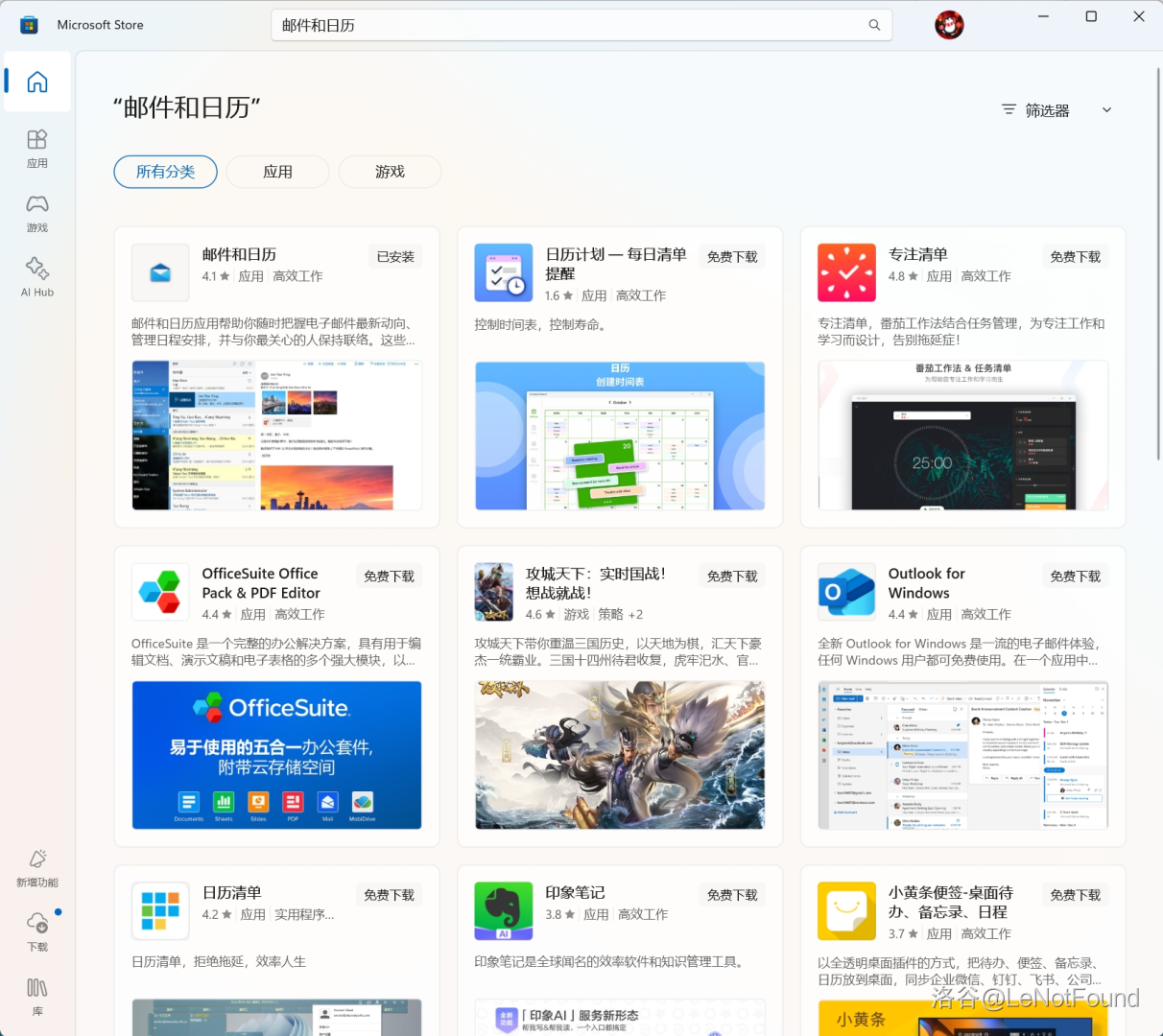
去微软商店搜索 邮件和日历
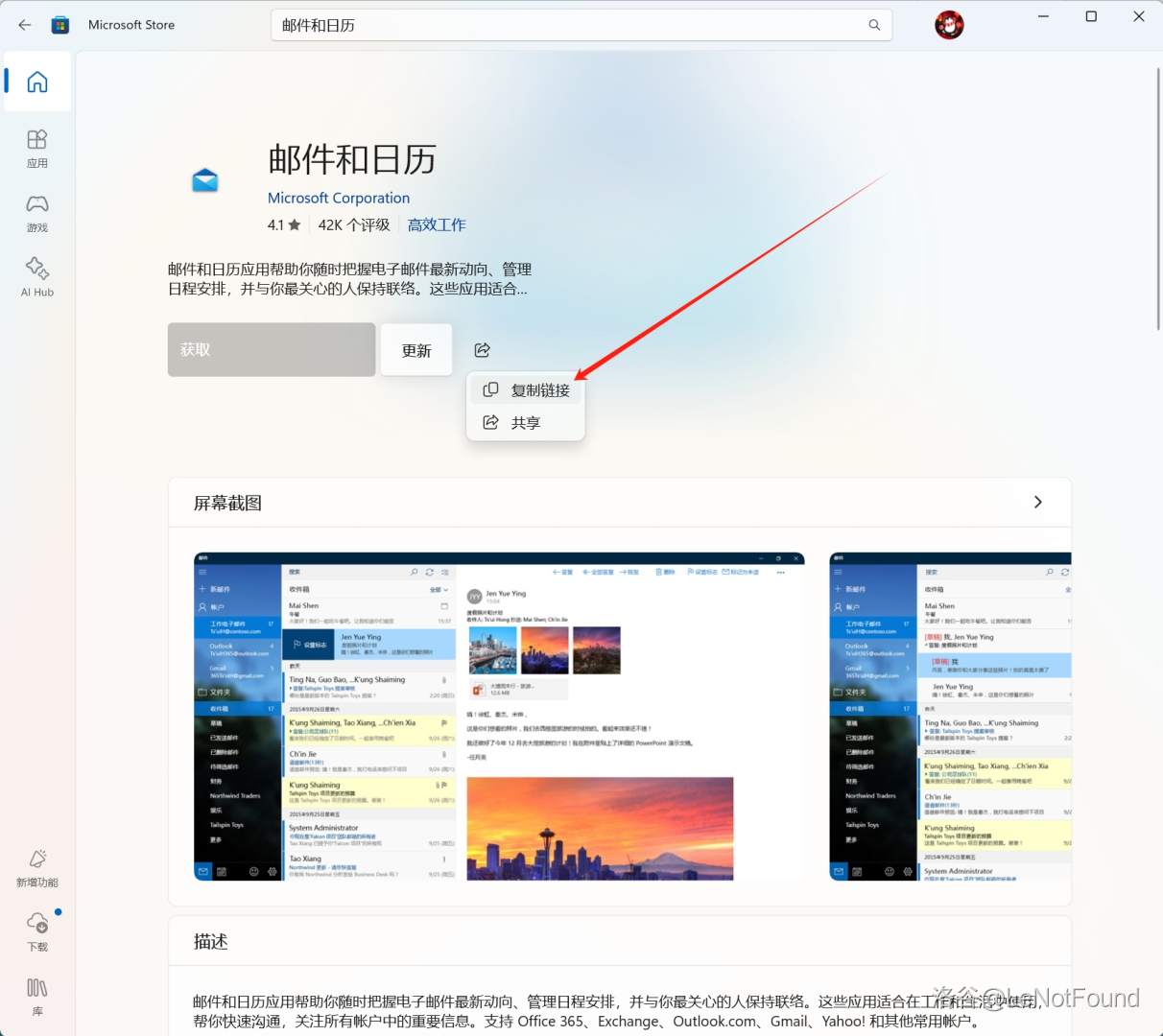
- 点击分享,复制链接
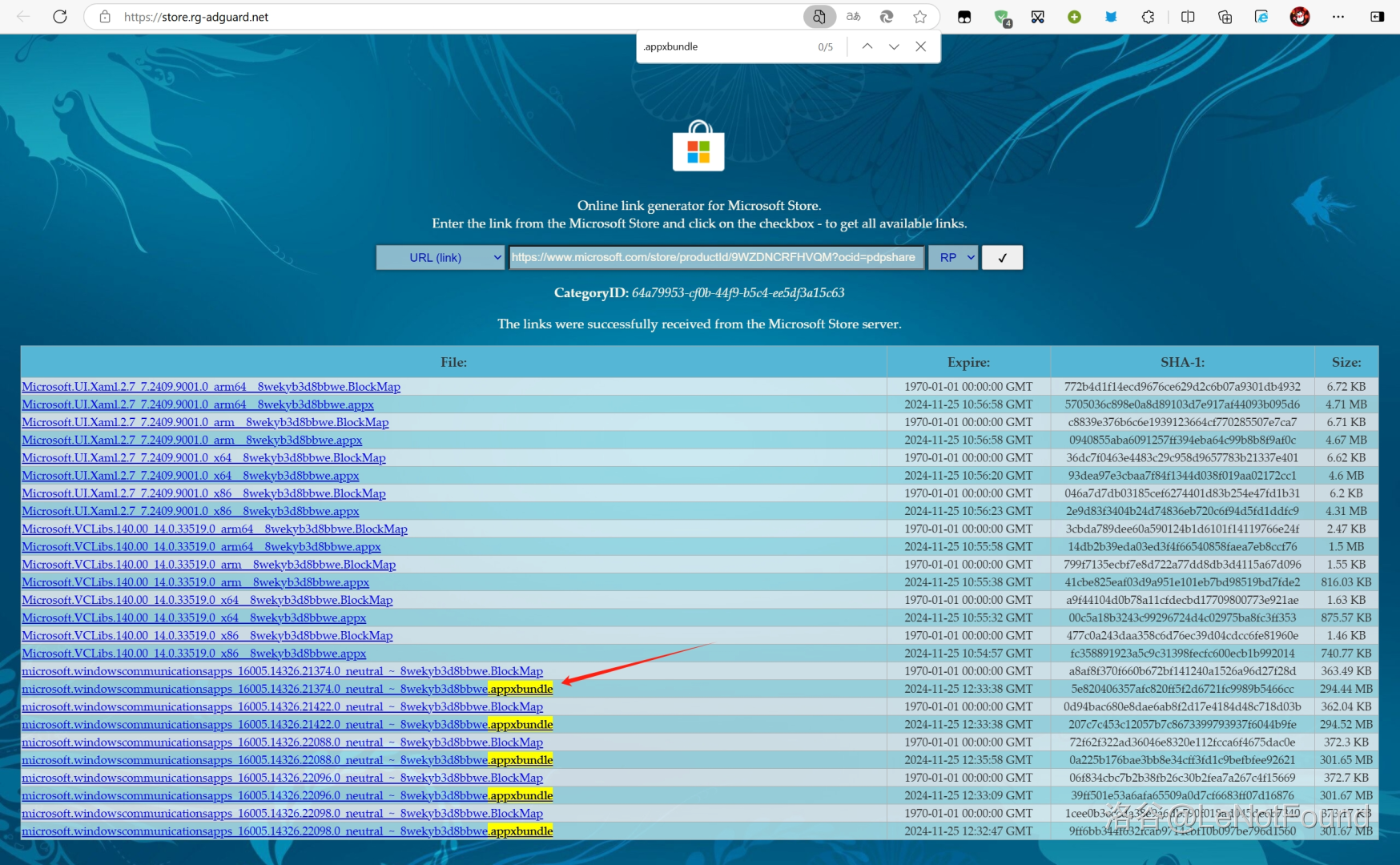
- 去 Microsoft Store - Generation Project (v1.2.3) [by @rgadguard & mkuba50] 粘贴链接搜索,然后下载
.appxbundle后缀的安装包,版本当然越靠前越好,笔者下了第一个,其他的没试
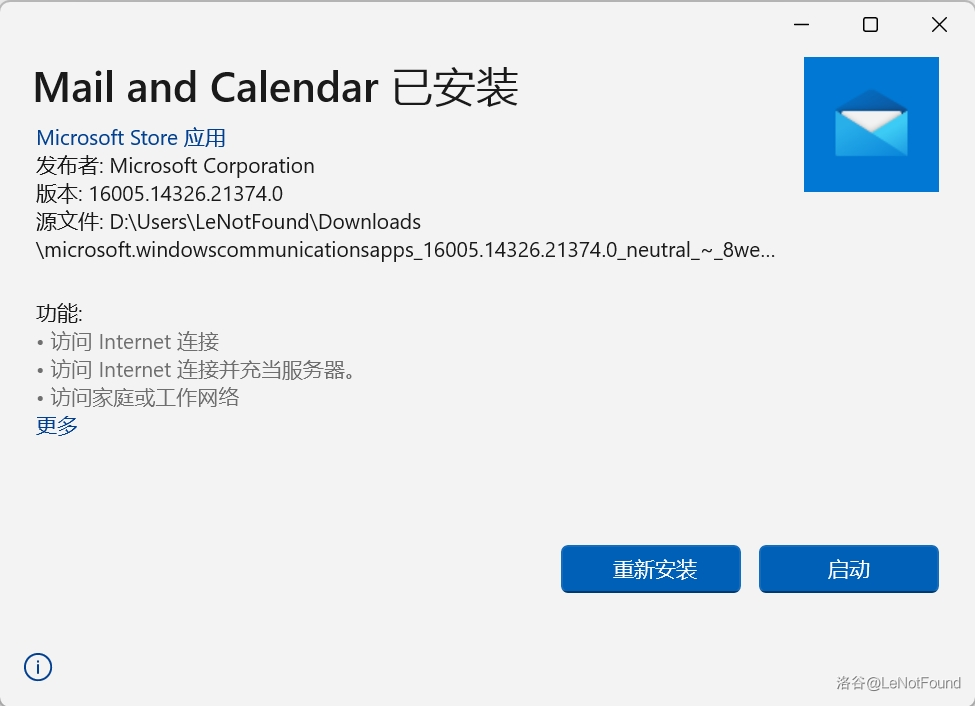
- 打开安装即可,不出意外会自动同步之前旧版邮件和日历的第三方邮箱以及邮件
2024年11月28日 16点04分 upd:
这玩意没过多久又复活了,找了个脚本先用着,不保证能活过 24 年
管理员权限运行 Powershell 然后粘进去,回车
# Define the name of the current user
$username = $env:USERNAME
# Define the folder path to operate on
$folderPath = "C:\Users\$username\AppData\Local\Packages\microsoft.windowscommunicationsapps_8wekyb3d8bbwe\LocalState\Migration"

# Define the path of the file to delete
$fileToDelete = "$folderPath\settings.json"

# 1. Delete the specified file (if it exists)
if (Test-Path -Path $fileToDelete) {
    Remove-Item -Path $fileToDelete -Force
    Write-Host "File $fileToDelete has been deleted."
} else {
    Write-Host "File $fileToDelete does not exist."
}

# Get the username of the current logged-in user
$currentUser = [System.Security.Principal.WindowsIdentity]::GetCurrent().Name

# 2. Get the Access Control List (ACL) of the folder
$acl = Get-Acl -Path $folderPath

# Define a new access rule to deny write access for the current user
$denyWriteRule = New-Object System.Security.AccessControl.FileSystemAccessRule($currentUser, "Write", "Deny")

# Add the deny write access rule to the folder's ACL
$acl.AddAccessRule($denyWriteRule)

# Apply the modified ACL to the folder
Set-Acl -Path $folderPath -AclObject $acl

# Output the result of the operation
Write-Host "Write access denied for $currentUser on $folderPath"