版本比较
【工程】觉得自己太颓了?强力学术!

正文
增加 259 行删除 3 行
23 行未改动2425262728282930313233343435363738187 行未改动全部展开226227228229230230231232233234235236237236 行未改动全部展开47447547647747847948048148248348448548648748848949049149249349449549649749849950050150250350450550650750850951051151251351451551651751851952052152252352452552652752852953053153253353453553653753853954054154254354454554654754854955055155255355455555655755855956056156256356456556656756856957057157257357457557657757857958058158258358458558658758858959059159259359459559659759859960060160260360460560660760860961061161261361461561661761861962062162262362462562662762862963063163263363463563663763863964064164264364464564664764864965065165265365465565665765865966066166266366466566666766866967067167267367467567667767867968068168268368468568668768868969069169269369469569669769869970070170270370470570670770870971071171271371471571671771871972072172272372472572672772872973073173273373423 行未改动// @grant none// @license MIT// @run-at document-start// ==/UserScript==
(function() {'use strict';const ALLOW_RULES = [ /^https:\/\/(www\.)?luogu\.com\.cn\/problem(\/list)?/i];
function shouldAllow() { const currentURL = window.location.href.toLowerCase(); return ALLOW_RULES.some(regex => regex.test(currentURL));}187 行未改动全部展开在设置中加入了是否可以查看题解(默认开启)。关闭后查看题解效果如下图所示:
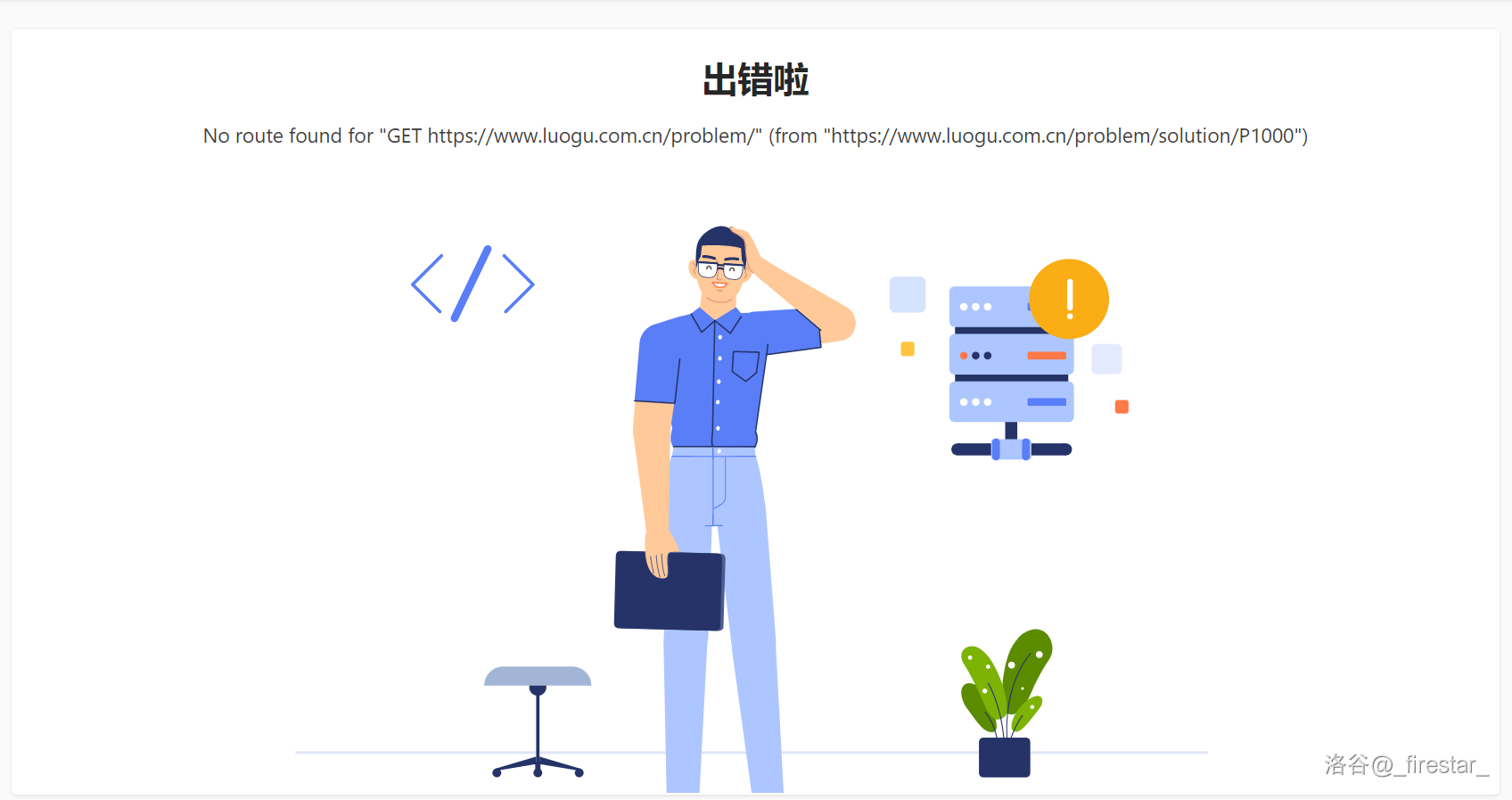
目前 bug:设置做题计划后无论是否打开都无法打开,将在 2.2 修复。~~目前 bug:设置做题计划后无论是否打开都无法打开,将在 2.2 修复。~~
upd:2.2 已修复。
:::info[代码]```cpp// ==UserScript==// @name 洛谷强力学术 增强版236 行未改动全部展开})();```:::
### 2.2 版本
修改了 2.1 时的 bug。
:::info[代码]```// ==UserScript==// @name 洛谷强力学术 增强版// @namespace http://tampermonkey.net/// @version 2.2// @author fire// @icon https://cdn.luogu.com.cn/upload/usericon/1805886.png// @description tuifei breaker 做题计划增强版// @match *://*/*// @grant none// @license MIT// @run-at document-start// ==/UserScript==
(function() { 'use strict'; const ALLOW_RULES = [ /^https:\/\/(www\.)?luogu\.com\.cn\/problem(\/list|\/\w+)?/i ]; const STORAGE_KEY_PID = "luogu_study_plan_pid"; const STORAGE_KEY_SOLUTION = "luogu_study_plan_solution";
function getSavePid() { return localStorage.getItem(STORAGE_KEY_PID) || ''; }
function savePid(pid) { localStorage.setItem(STORAGE_KEY_PID, pid.trim()); }
function removePid() { localStorage.removeItem(STORAGE_KEY_PID); }
function getSolutionStatus() { return localStorage.getItem(STORAGE_KEY_SOLUTION) !== 'false'; }
function saveSolutionStatus(status) { localStorage.setItem(STORAGE_KEY_SOLUTION, status); }
function shouldAllow() { const currentURL = window.location.href.toLowerCase(); const targetPid = getSavePid(); if (targetPid) { return /^https:\/\/(www\.)?luogu\.com\.cn\/problem(\/list|\/\w+|\/solution\/\w+)?/i.test(currentURL); } return ALLOW_RULES.some(regex => regex.test(currentURL)); }
function blockSolutionAccess() { const currentURL = window.location.href; const targetPid = getSavePid(); if (!getSolutionStatus() && targetPid && new RegExp(`luogu\\.com\\.cn\\/problem\\/solution\\/${targetPid}`).test(currentURL)) { console.warn('[学术模式] 已拦截题解访问'); window.location.replace(`https://www.luogu.com.cn/problem/${targetPid || ''}`); return true; } return false; }
function monitorSolutionElements() { if (!getSolutionStatus()) { const observer = new MutationObserver((mutations) => { mutations.forEach((mutation) => { mutation.addedNodes.forEach((node) => { if (node.nodeType === 1) { const solutionLinks = node.querySelectorAll('a[href*="/problem/solution/"], button, div'); solutionLinks.forEach(link => { if (link.textContent.includes('题解') || link.href?.includes('/problem/solution/')) { link.style.display = 'none'; } }); } }); }); });
observer.observe(document.body, { childList: true, subtree: true }); } }
const targetPid = getSavePid(); if (blockSolutionAccess()) return;
if (targetPid && !window.location.href.includes(`luogu.com.cn/problem/${targetPid}`) && !window.location.href.includes(`luogu.com.cn/problem/solution/${targetPid}`)) { console.warn('[学术模式-做题计划] 跳转到指定题目:', targetPid); window.location.replace(`https://www.luogu.com.cn/problem/${targetPid}`); } else if (!shouldAllow()) { console.warn('[学术模式] 拦截非学习网站:', window.location.href); window.location.replace('https://www.luogu.com.cn/problem/list'); }
function createSettingUI() { const style = document.createElement('style'); style.textContent = ` #luogu-setting-btn { position: fixed; top: 80px; right: 20px; width: 60px; height: 60px; border-radius: 50%; background: #000; color: #fff; font-size: 16px; border: none; cursor: pointer; z-index: 9999; line-height: 60px; text-align: center; font-weight: bold; } #luogu-setting-btn:hover {background: #333;} #luogu-modal-mask { position: fixed; top:0;left:0;right:0;bottom:0; background: rgba(0,0,0,0.5); z-index: 9998; display: none; } #luogu-modal-box { position: fixed; top: 50%;left:50%; transform: translate(-50%, -50%); width: 320px; padding: 20px; background: #fff; border-radius: 8px; z-index: 9999; display: none; box-shadow: 0 0 15px rgba(0,0,0,0.3); } #luogu-modal-box h3 {margin:0 0 15px 0; color:#333; text-align:center;} #luogu-pid-input { width: 100%; padding: 10px; box-sizing: border-box; margin-bottom: 15px; border: 1px solid #ddd; border-radius: 4px; font-size: 16px; } #luogu-solution-switch { display: flex; align-items: center; margin-bottom: 15px; gap: 10px; } #luogu-solution-switch input { width: 20px; height: 20px; cursor: pointer; } #luogu-modal-btn-group { display: flex; gap: 10px; } #luogu-save-btn, #luogu-del-btn { flex: 1; padding: 8px 0; border: none; border-radius: 4px; cursor: pointer; font-size: 14px; } #luogu-save-btn {background: #0099ff; color:#fff;} #luogu-save-btn:hover {background: #0077cc;} #luogu-del-btn {background: #ff4444; color:#fff;} #luogu-del-btn:hover {background: #cc0000;} `; document.head.appendChild(style);
const mask = document.createElement('div'); mask.id = 'luogu-modal-mask'; mask.onclick = () => { mask.style.display = 'none'; modalBox.style.display = 'none'; }; document.body.appendChild(mask);
const modalBox = document.createElement('div'); modalBox.id = 'luogu-modal-box'; modalBox.innerHTML = ` <h3>做题计划</h3> <input type="text" id="luogu-pid-input" placeholder="请输入洛谷题号,例如:P1001"> <div id="luogu-solution-switch"> <input type="checkbox" id="luogu-solution-checkbox"> <label for="luogu-solution-checkbox">允许查看题解</label> </div> <div id="luogu-modal-btn-group"> <button id="luogu-save-btn">保存</button> <button id="luogu-del-btn">删除计划</button> </div> `; document.body.appendChild(modalBox);
const settingBtn = document.createElement('button'); settingBtn.id = 'luogu-setting-btn'; settingBtn.innerText = '设置'; settingBtn.onclick = () => { mask.style.display = 'block'; modalBox.style.display = 'block'; document.getElementById('luogu-pid-input').value = getSavePid(); document.getElementById('luogu-solution-checkbox').checked = getSolutionStatus(); }; document.body.appendChild(settingBtn);
document.getElementById('luogu-save-btn').onclick = () => { const pidInput = document.getElementById('luogu-pid-input'); const pid = pidInput.value.trim(); const solutionChecked = document.getElementById('luogu-solution-checkbox').checked;
saveSolutionStatus(solutionChecked);
if (pid) { savePid(pid); alert(`✅ 做题计划保存成功!题号:${pid}\n查看题解:${solutionChecked ? '开启' : '关闭'}\n刷新页面后生效`); } else { alert(`✅ 设置保存成功!\n查看题解:${solutionChecked ? '开启' : '关闭'}`); } mask.style.display = 'none'; modalBox.style.display = 'none'; };
document.getElementById('luogu-del-btn').onclick = () => { if (confirm('❓ 确定要删除做题计划吗?删除后将恢复跳转到题目列表')) { removePid(); document.getElementById('luogu-pid-input').value = ''; alert('✅ 做题计划已删除!'); } mask.style.display = 'none'; modalBox.style.display = 'none'; };
monitorSolutionElements(); }
window.addEventListener('load', createSettingUI);})();```
:::
到此个人感觉功能已经够用了。
欢迎大家使用!如果发现问题或提出建议,也欢迎私信我!